💸 AML Transaction Monitoring
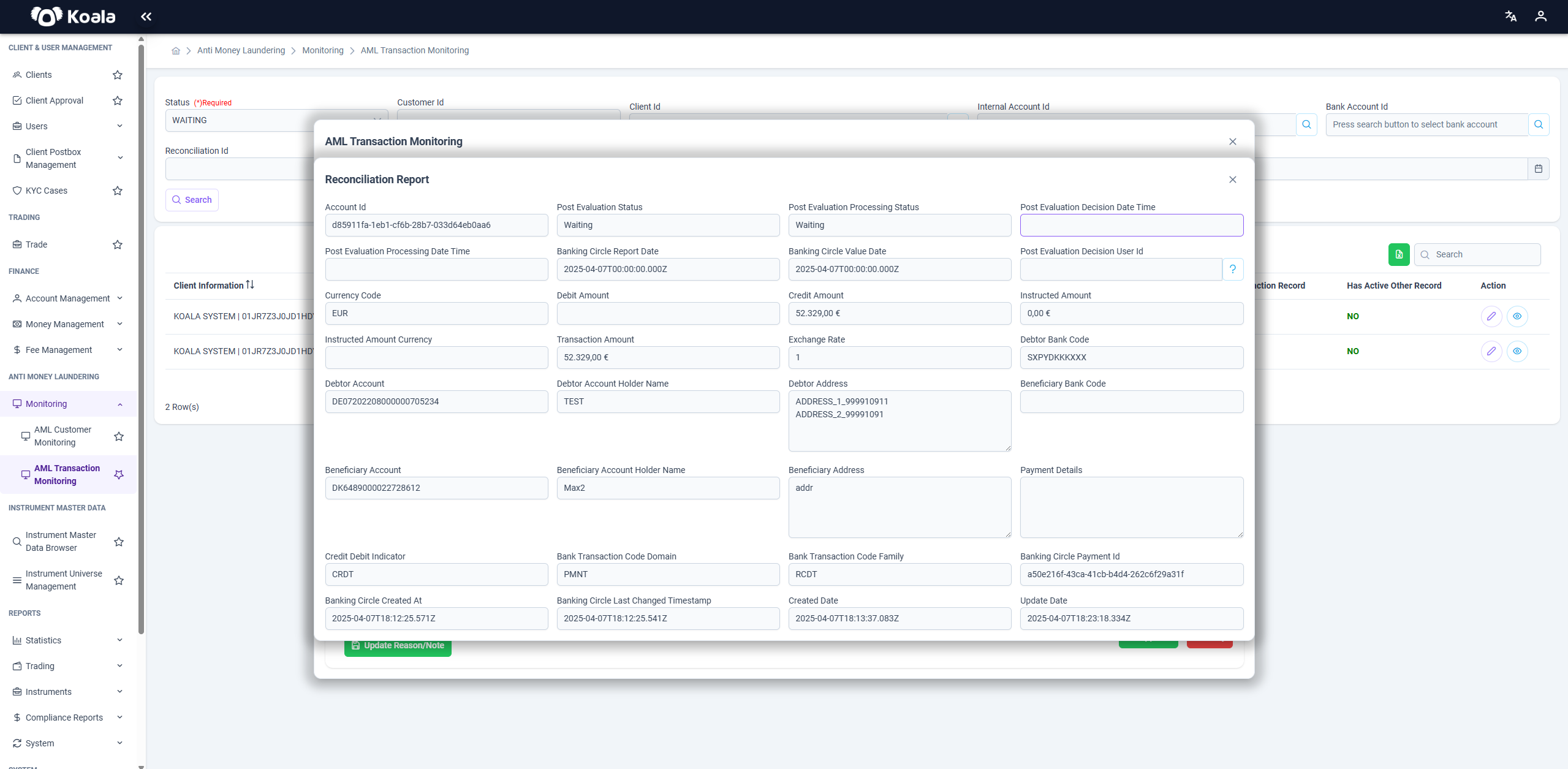
This section focuses on monitoring individual transactions for AML risks.
You can view and assess all transactions that meet certain risk criteria or thresholds.
Main Page:
- Lists transactions with details like client, type (deposit/withdrawal), amount, currency, status, created date, risk score, and flags (e.g., PEP, sanction, other records).
- Searchable and filterable based on customer, client, account, reconciliation ID, and more.
- Status is mandatory to select and can be e.g., Waiting, Approved, or Rejected.
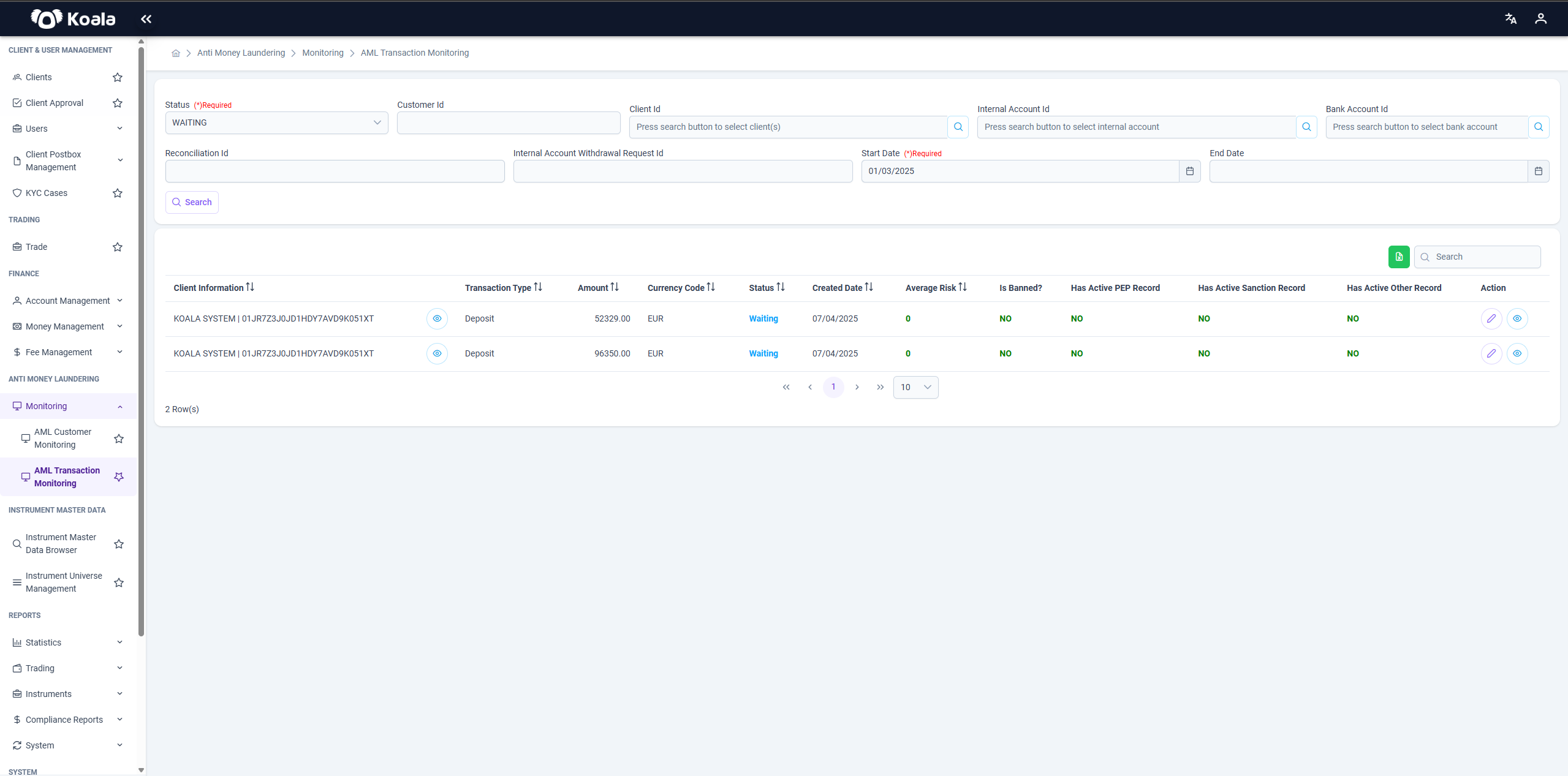
When you click the edit (pencil) icon in the Action column of a transaction:
- A dialog opens showing editable fields on the left (e.g., decision, notes, risk thresholds, status).
- You can update transaction details and also mark it as inactive if required.
- Detailed transaction metadata is displayed for review.
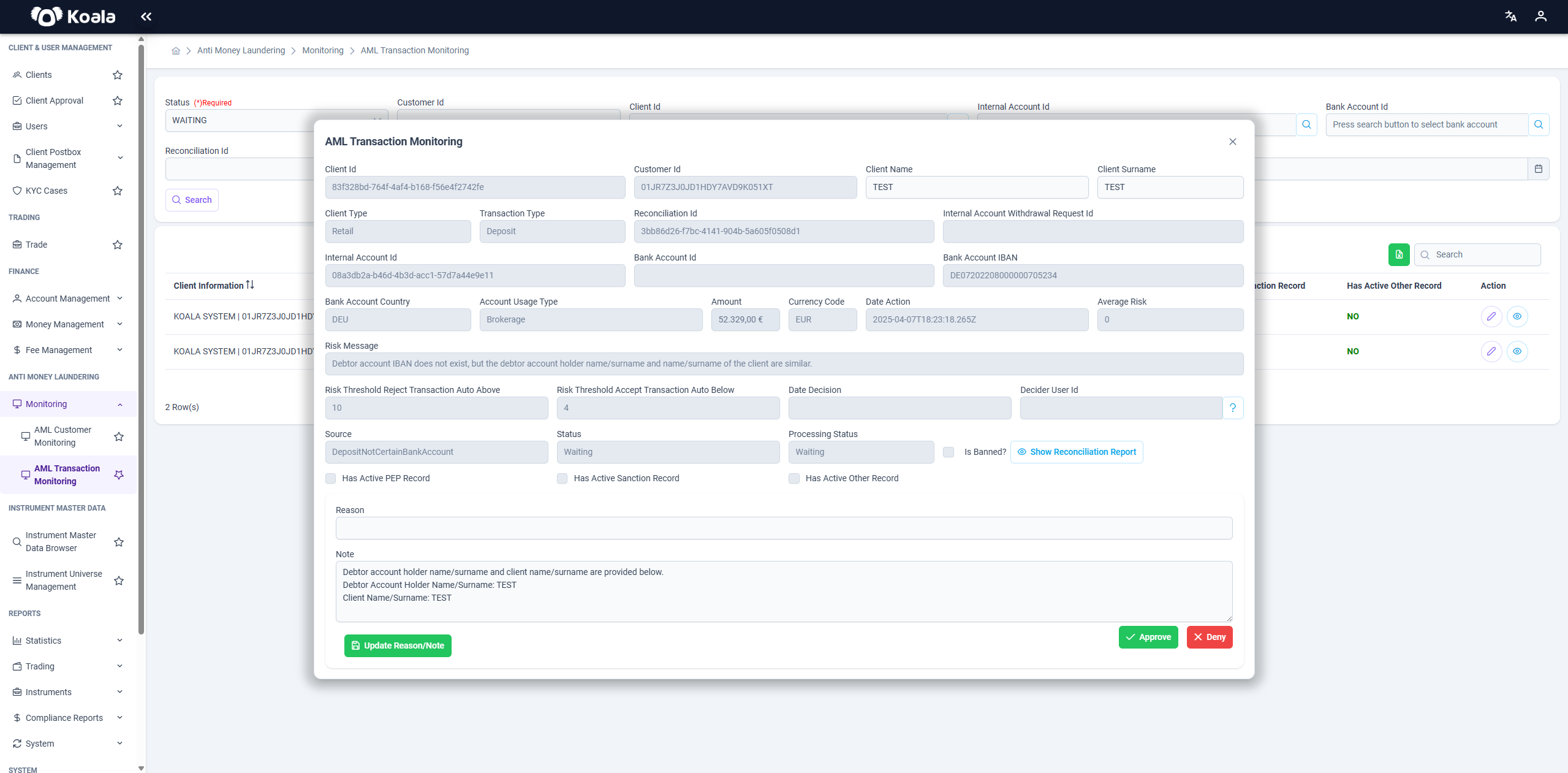
Show Reconciliation Report:
Within the edit dialog, you can also click Show Reconciliation Report, which opens a detailed reconciliation view on the right.
This report includes:
- Account information
- Post evaluation status and timestamps
- Credit/debit amounts and indicators
- Debtor/beneficiary details
- Payment details
- Bank transaction codes
This facilitates reviewing the transaction in the context of its reconciliation data.