💰 Prices
The Prices module provides real-time visibility into instrument price data across the platform. It is designed for users to monitor market activity, access detailed snapshots, and test websocket-based feeds for integration purposes. This module is read-only and intended for observation, testing, and analysis — not for performing trades or altering data.
🔒 Access Restriction: This page is accessible only to users with the
power_userrole.
📈 Live Quotes
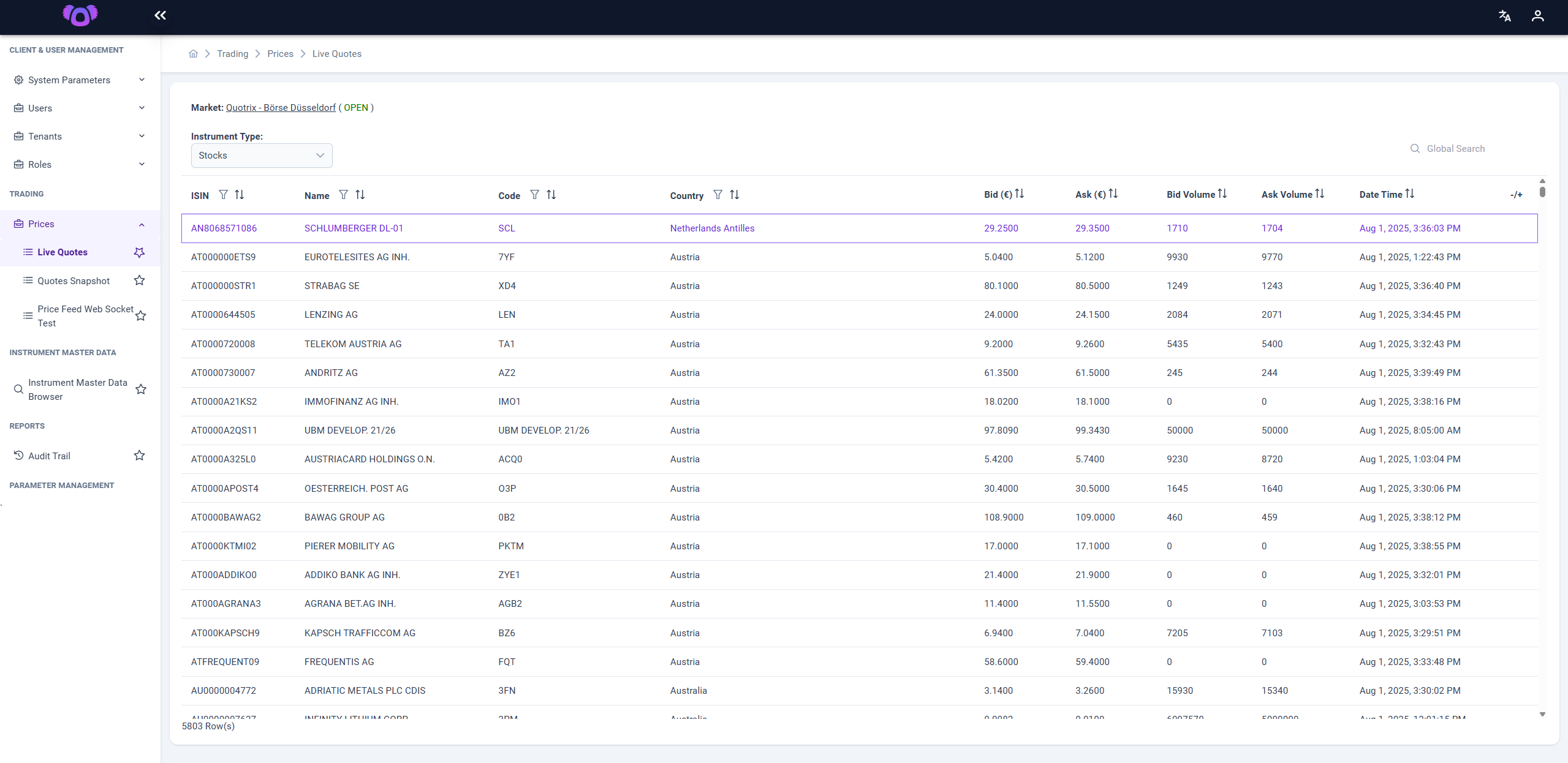
The Live Quotes page displays a continuously updated list of market instruments with their latest bid/ask prices and volumes.
Only Power Users have access to this page.
Key Features:
- Market Selection: Choose from available markets (e.g., Börse Düsseldorf).
- Instrument Type Filter: Filter instruments by category (e.g., Stocks, ETFs, etc.).
- Live Data Table: View instrument identifiers (ISIN, name, code), country, bid/ask prices and volumes, and last update time.
- Global Search: Quickly find any instrument by name or code.
- Sorting Capabilities: Each column in the data table is sortable.
This page is ideal for observing real-time market behavior and validating quote delivery across instruments.
🧾 Quotes Snapshot
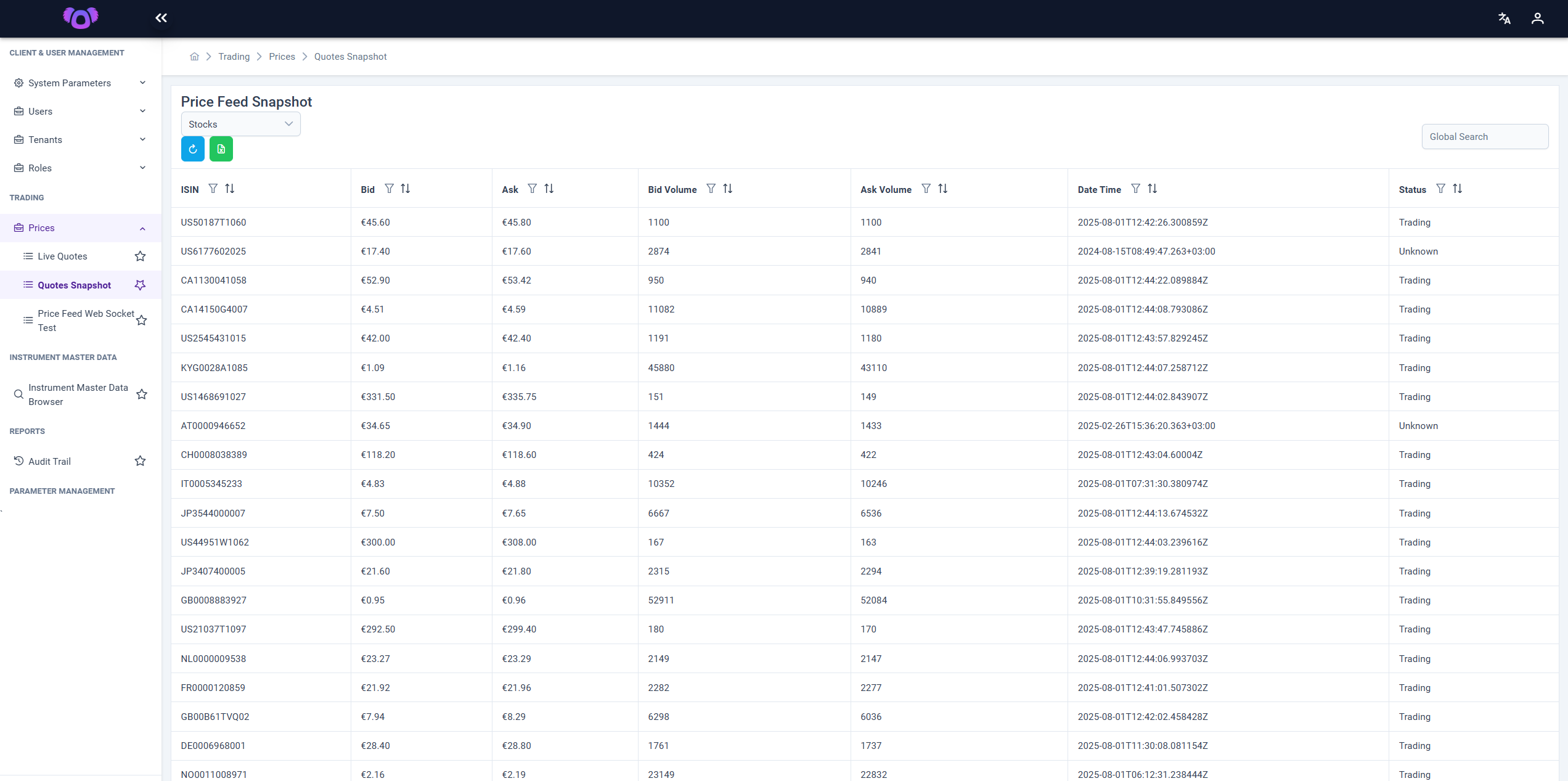
The Quotes Snapshot page provides a snapshot of instrument quotes at a given moment.
Only Power Users have access to this page.
Key Features:
- Instrument Type Selection: Use the dropdown menu to filter instruments by category (e.g., Stocks, ETFs).
- Snapshot Display: Provides a current snapshot of bid/ask prices and volumes.
- Refresh Button: Click the 🔄 button to retrieve and display the most up-to-date data.
- Export to Excel: Download the currently displayed snapshot for offline review or analysis.
This screen is useful for auditing, manual testing, or creating benchmarks for market conditions.
🧪 Price Feed Web Socket Test
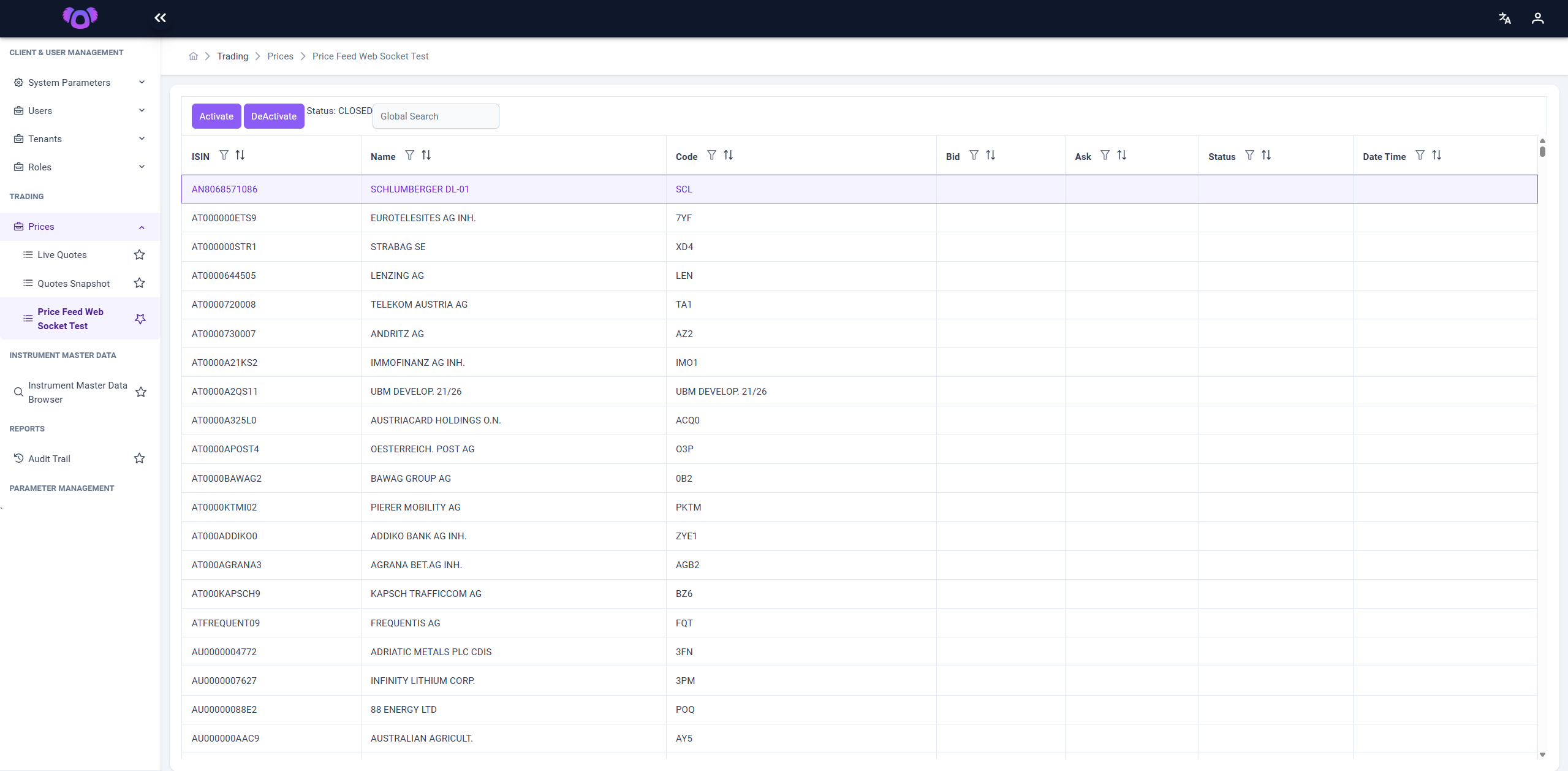
The Price Feed Web Socket Test page allows technical users to test websocket connections to real-time price feeds.
Only Power Users have access to this page.
Key Features:
-
Subscription Management: Connect to specific instruments or channels to observe updates.
-
Latency & Integrity Monitoring: Ensure the feed is delivering consistent and timely data.
-
Instrument Subscription: Subscribe to one or more instruments to receive real-time price updates.
-
Activate/Deactivate Controls: Use the Activate and Deactivate buttons at the top to start or stop receiving WebSocket data.
This page is particularly useful for developers, system integrators, or QA teams needing to validate data delivery and websocket configurations.