Role
⚠️ This section is accessible only by users with the
power_userrole.
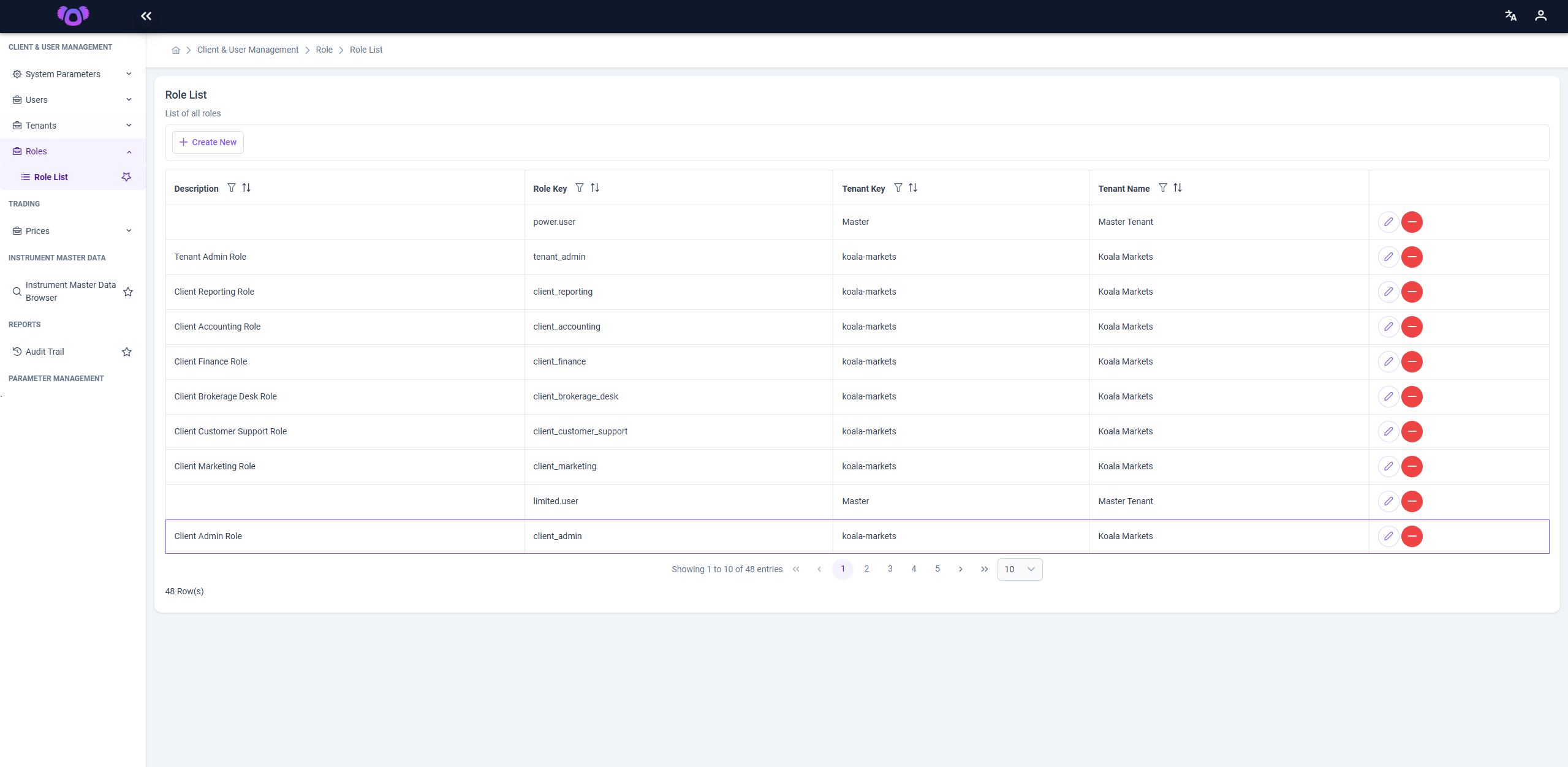
The Role List page displays all defined roles within the Koala System. Each role governs the level of access and permissions assigned to users within a specific tenant.
Description
Each row in the Role List represents a unique role definition. The following columns are available:
- Description: A human-readable name for the role (e.g., "Client Reporting Role").
- Role Key: The internal identifier used by the system (e.g.,
client_reporting). - Tenant Key: The key of the tenant this role belongs to.
- Tenant Name: The display name of the associated tenant.
Actions
- 🖊️ Edit Role: Click the purple pencil icon to update the role's description.
- 🗑️ Delete Role: Click the red trash icon to delete a role (if permitted).
- ➕ Create New Role: Click the Create New button at the top to define a new role by entering its description and role key.
Use Case
Roles are essential for controlling feature access and enforcing security boundaries between users. For example:
- A
client_financerole may grant access only to the invoicing and reconciliation modules. - A
tenant_adminrole may provide full access across all modules within that tenant.
Roles are tenant-specific and must be configured accordingly to maintain secure access control across multi-tenant environments.