Tenants
⚠️ This section is accessible only by users with the
power_userrole.
What is a Tenant?
In a multi-tenant architecture, a tenant refers to a logically isolated group of users that share access to the same software instance but operate with independent data, configurations, and access rights. Typically, each tenant represents a different client, business unit, or organization.
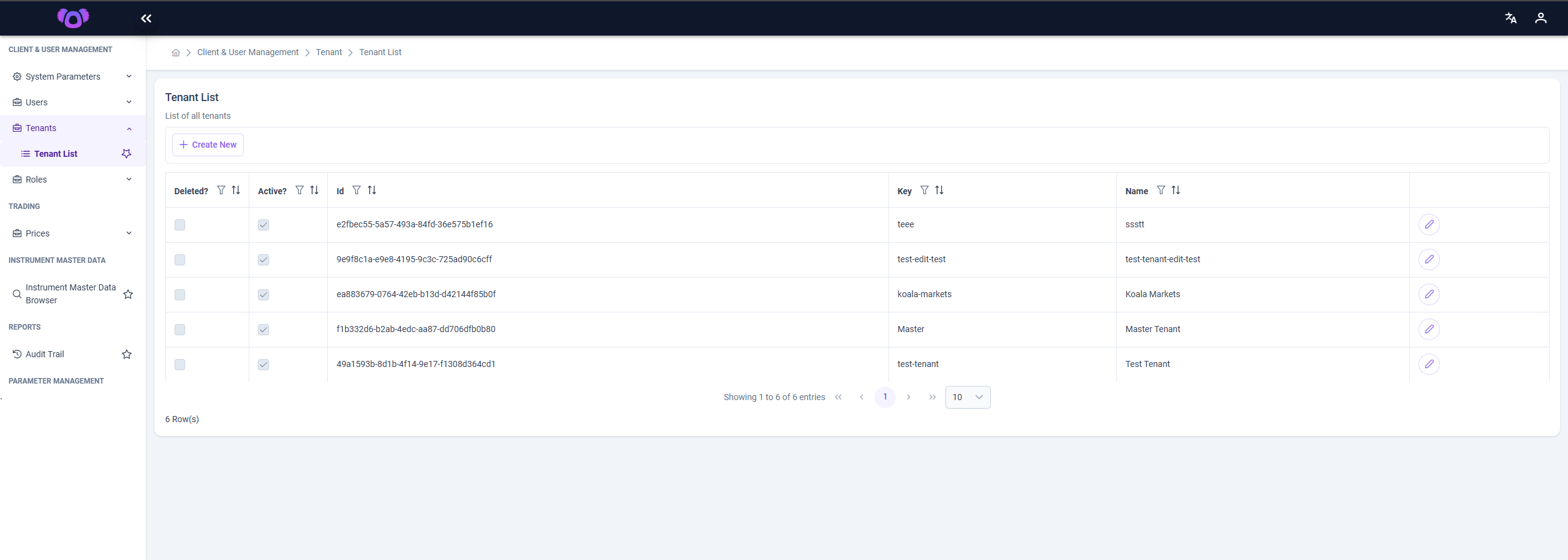
The Tenant Management screen in the Koala system allows authorized users to create and manage tenants through a tabular interface.
Page Overview
This screen displays a list of all tenants registered in the system, along with key attributes such as:
- Deleted: Whether the tenant is marked as deleted.
- Active: Indicates if the tenant is currently active.
- ID: A unique system-generated identifier.
- Key: A short, internal identifier used for referencing the tenant.
- Name: The display name of the tenant.
All columns are sortable and support filtering for easier navigation.
Creating a New Tenant
To create a new tenant:
-
Click the ➕ Create New button at the top of the page.
-
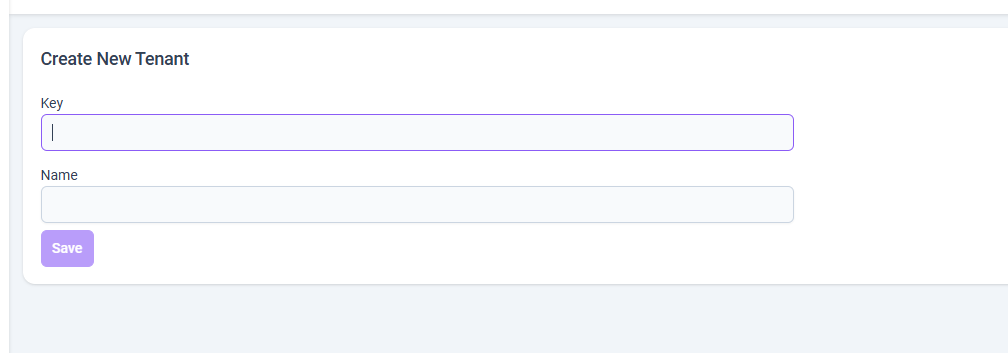
You will be redirected to a separate page with a form.
-
Fill in the following required fields:
- Key: A unique string used internally (e.g.,
koala-markets). - Name: The human-readable name for the tenant (e.g.,
Koala Markets).
- Key: A unique string used internally (e.g.,
-
Submit the form to create the tenant.
-
Editing an Existing Tenant
To edit an existing tenant:
- Locate the desired tenant from the list.
- Click the Edit (🖉) icon in the corresponding row.
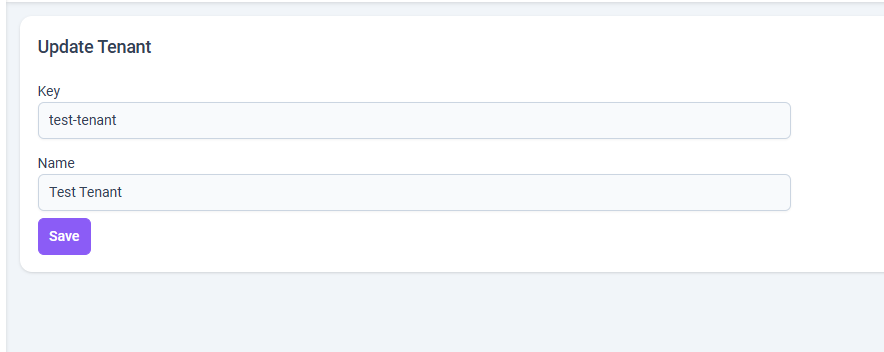
- You will be redirected to a dedicated page where you can update:
- Key
- Name
- Save your changes by submitting the form.
Notes
- This feature is restricted to users with
power_userprivileges. - Tenant records define how data and access are scoped across the platform.
- Ensure that Key values remain unique and meaningful to support internal usage.