Message Publish Screen - Koala System
This screen allows authorized users to publish messages to clients. Messages can be sent to:
- All clients
- Specific clients
- Specific client types
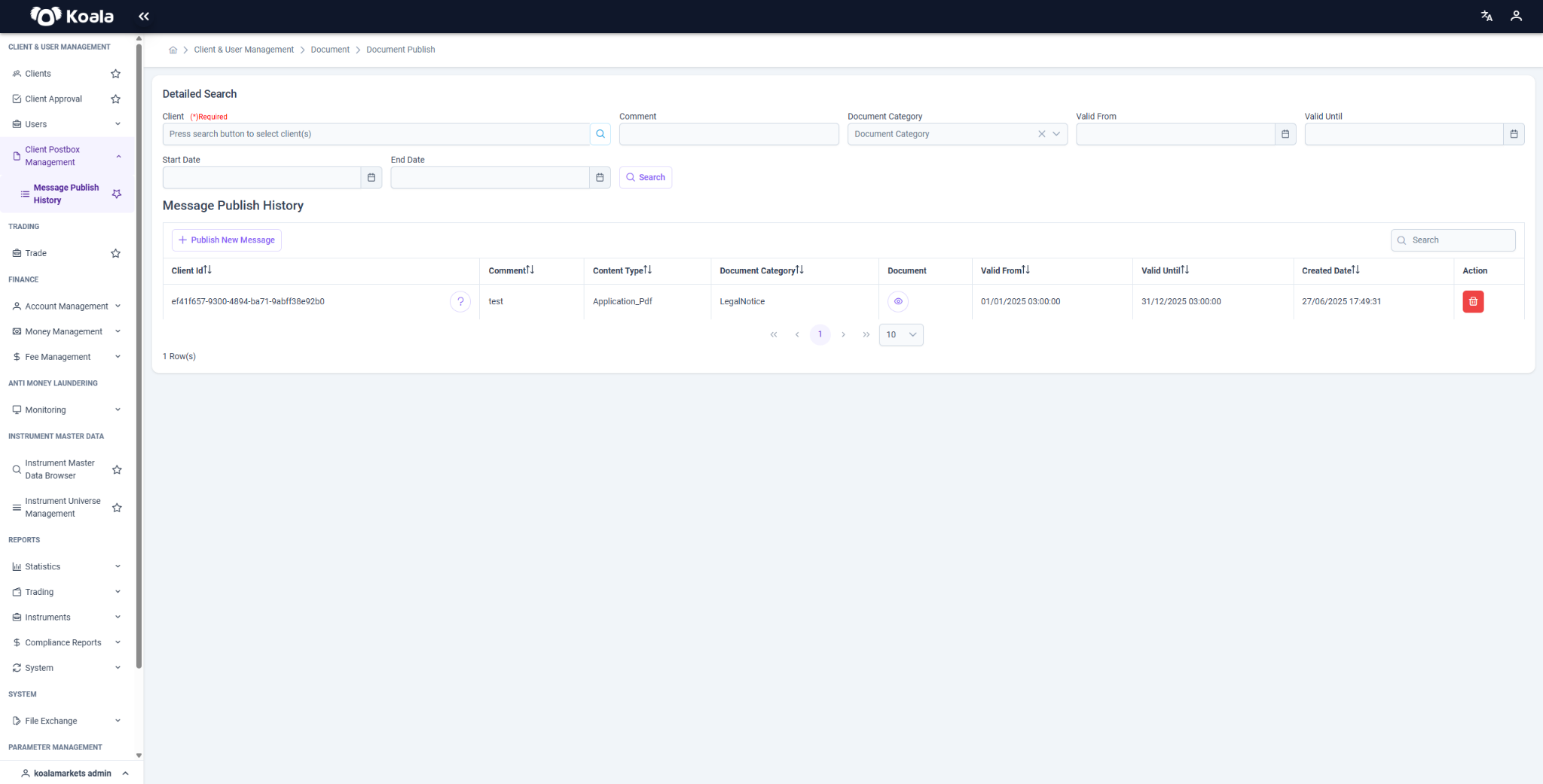
Message Publish History
After a message is published, it appears in the "Message Publish History" section, which displays:
- Client ID
- Comment
- Content Type
- Document Category
- Valid From / Until
- Created Date
Features
-
Messages can be searched using multiple filters:
- Client
- Comment
- Document Category
- Date Range
- Valid From / Until
-
Delete button allows removal of previously published messages.
Message Creation (Publish New Message)
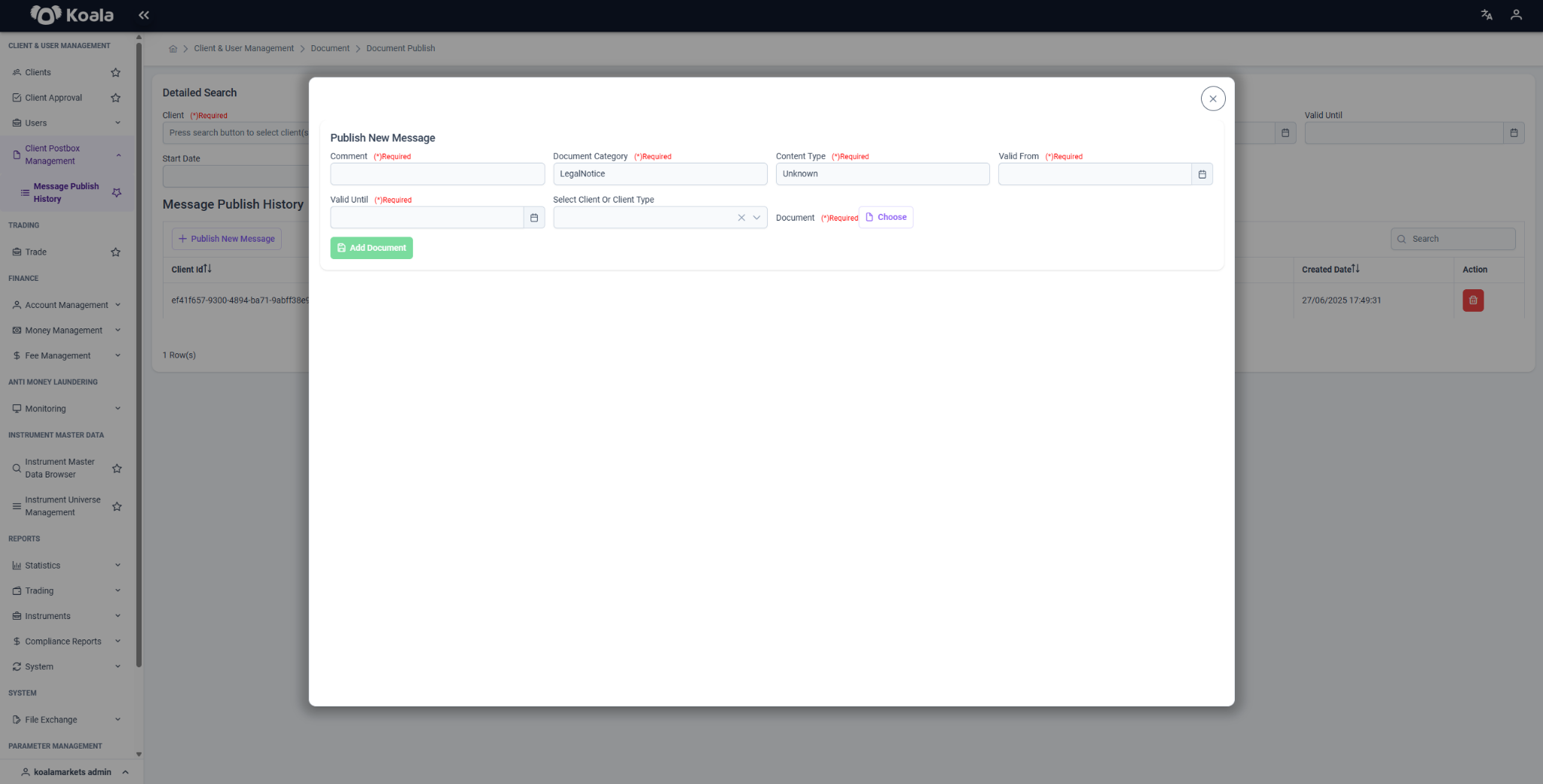
From the "Publish New Message" modal, the user must fill in the following required fields:
- Comment: A description or note about the message
- Document Category: The category of the document (e.g., LegalNotice)
- Content Type: The format of the document (e.g., Application_Pdf)
- Valid From / Until: The duration for which the document is valid
- Client(s) or Client Type(s): The target group for the message
- Document Upload: A PDF document can be added via the "Add Document" button
The uploaded document will be sent directly to the selected clients' Client Postbox.
All actions ensure secure delivery of client communications and are tracked by the system.