User Management
📋 User List
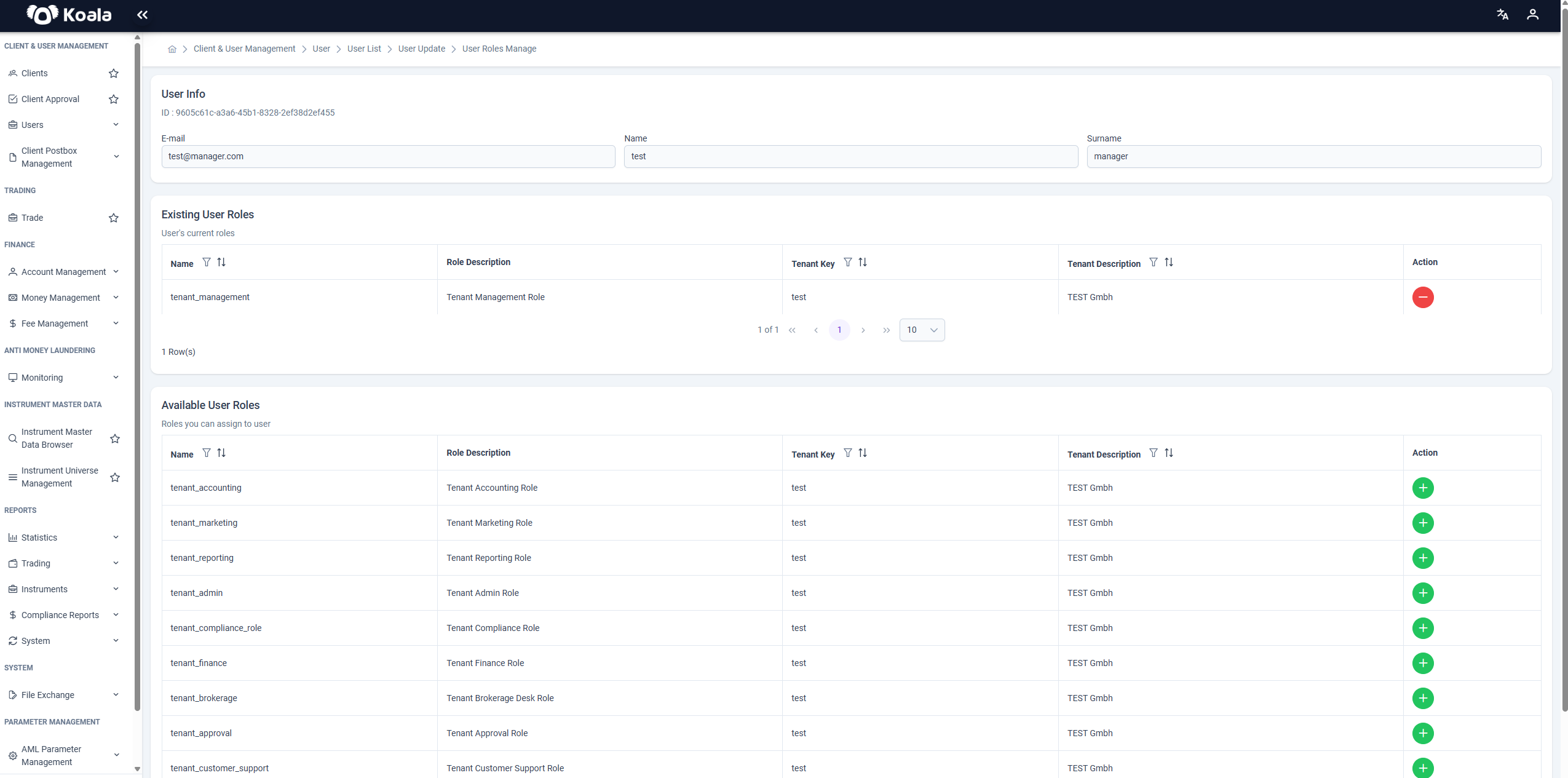
On this page, you can view the existing users in the Koala system. Client users can only view their own users.
Filter fields:
-
Client
-
Role
-
User Id
-
Email
-
First Name
-
Last Name
-
Phone
-
The + Create New button at the top left opens the user creation screen.
-
A search box is available at the top right.
-
You can click the pencil icon to update a user.
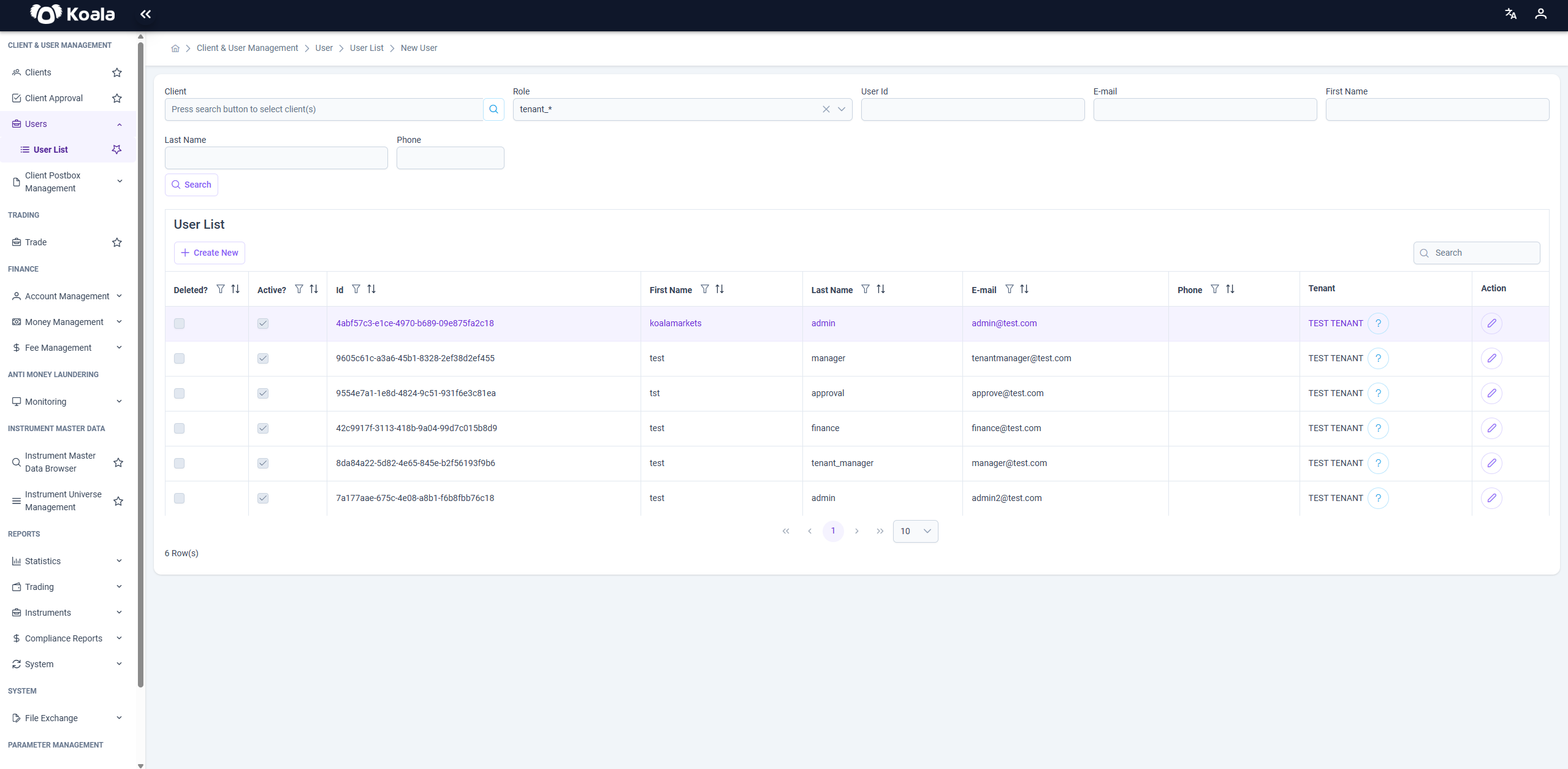
➕ Create New User
A modal window to add a new user.
Required fields:
-
Name
-
Surname
-
Email
-
Country
-
Time Zone
-
Locale
-
Tenant selection is determined when assigning roles.
-
Click Save to create the user.
🚨 After the user is created, at least one role must be assigned. A user without a role cannot exist in the system.
📝 Update User
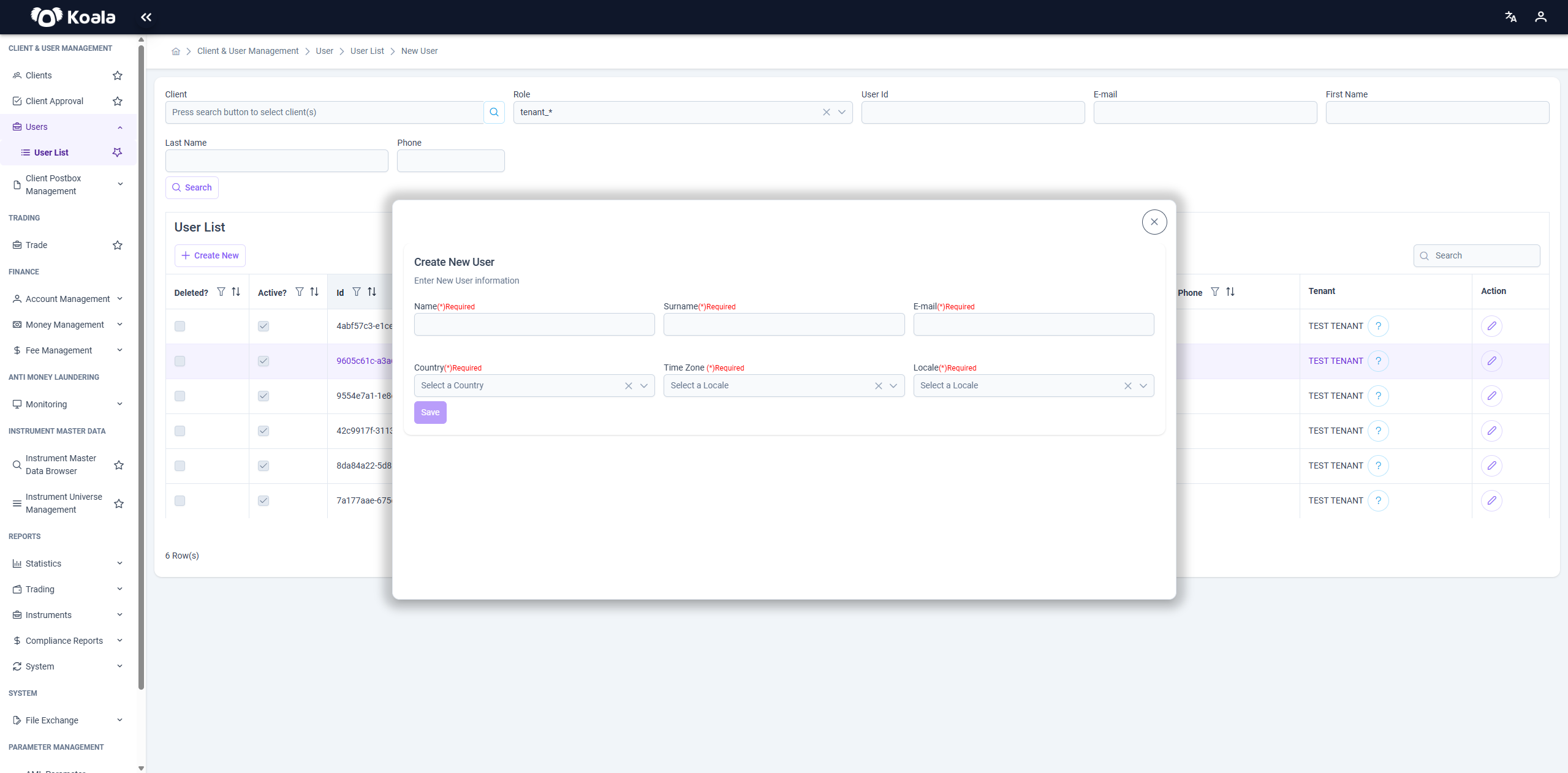
The screen to edit an existing user.
Editable fields:
- Name
- Surname
- Country
- Locale
- Time Zone
- Deleted?
- Active?
⚠️ Email and Tenant cannot be changed here; they are only displayed.
- At the bottom, the roles assigned to the user are listed.
👥 Role Management
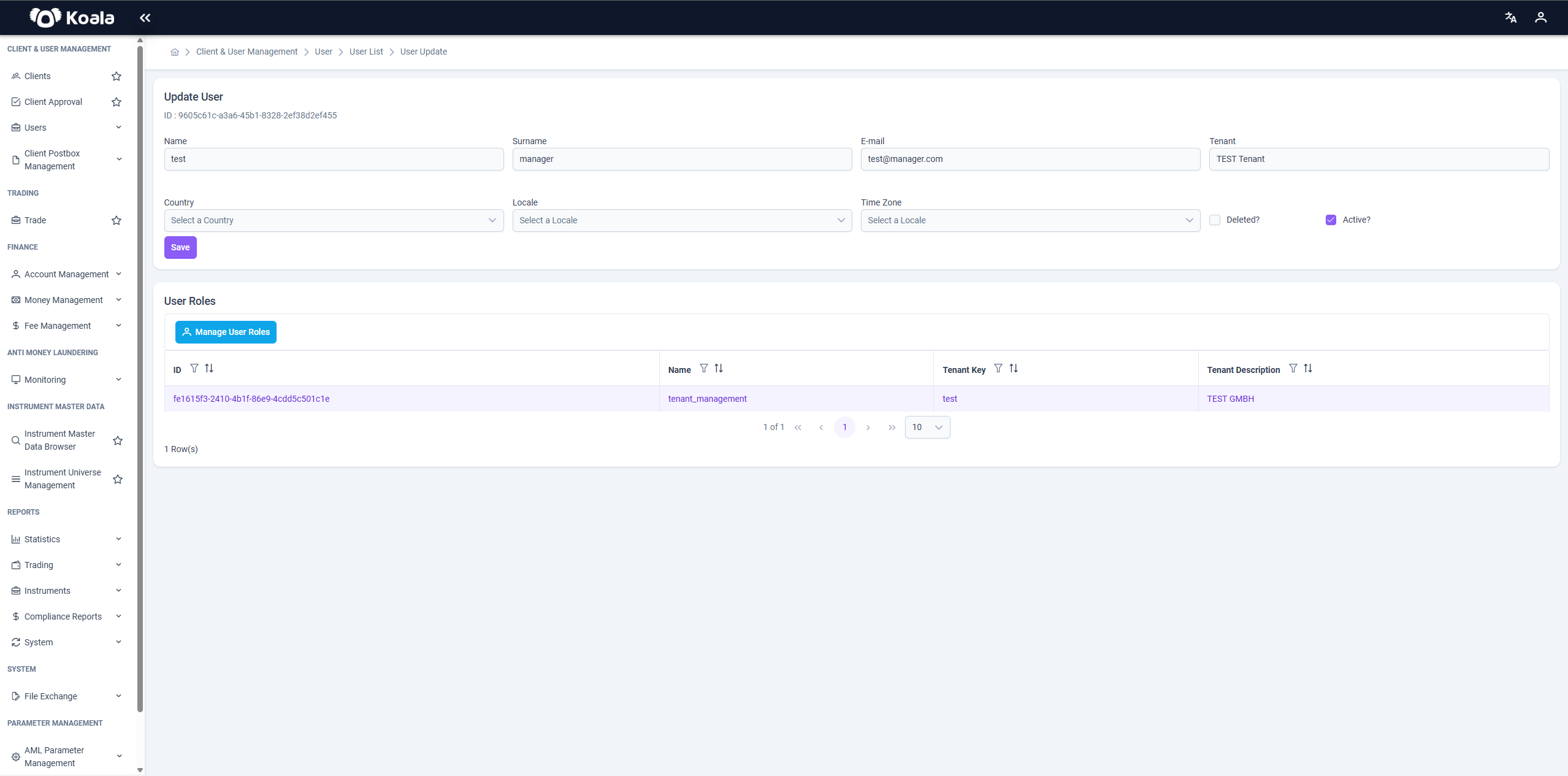
Used to add or remove roles for the user.
- Click the Manage User Roles button to open it.
- Displays the user’s associated tenant, current roles, and role details.
- New roles can be assigned, and existing roles can be removed.
🚨 The user must have at least one role. A user without a role cannot be active in the system.