👤 AML Customer Parameters
The AML Customer Parameters screen enables configuration of risk-based rules tied to customer profiles. These rules are used by the AML engine for risk evaluation and behavior monitoring.
You can perform the following actions on this page:
- ➕ Create New: Add a new parameter record for any of the categories.
- 🔍 Search: Use the search bar to quickly locate existing entries by keyword or filter criteria.
- ✏️ Edit: Click the pencil icon to edit an entry or inactivate it.
- 👁️ View: Click the eye icon to see parameter details in read-only mode.
🧾 Tabs & Their Purposes
Each tab provides configuration for a specific AML-relevant customer attribute:
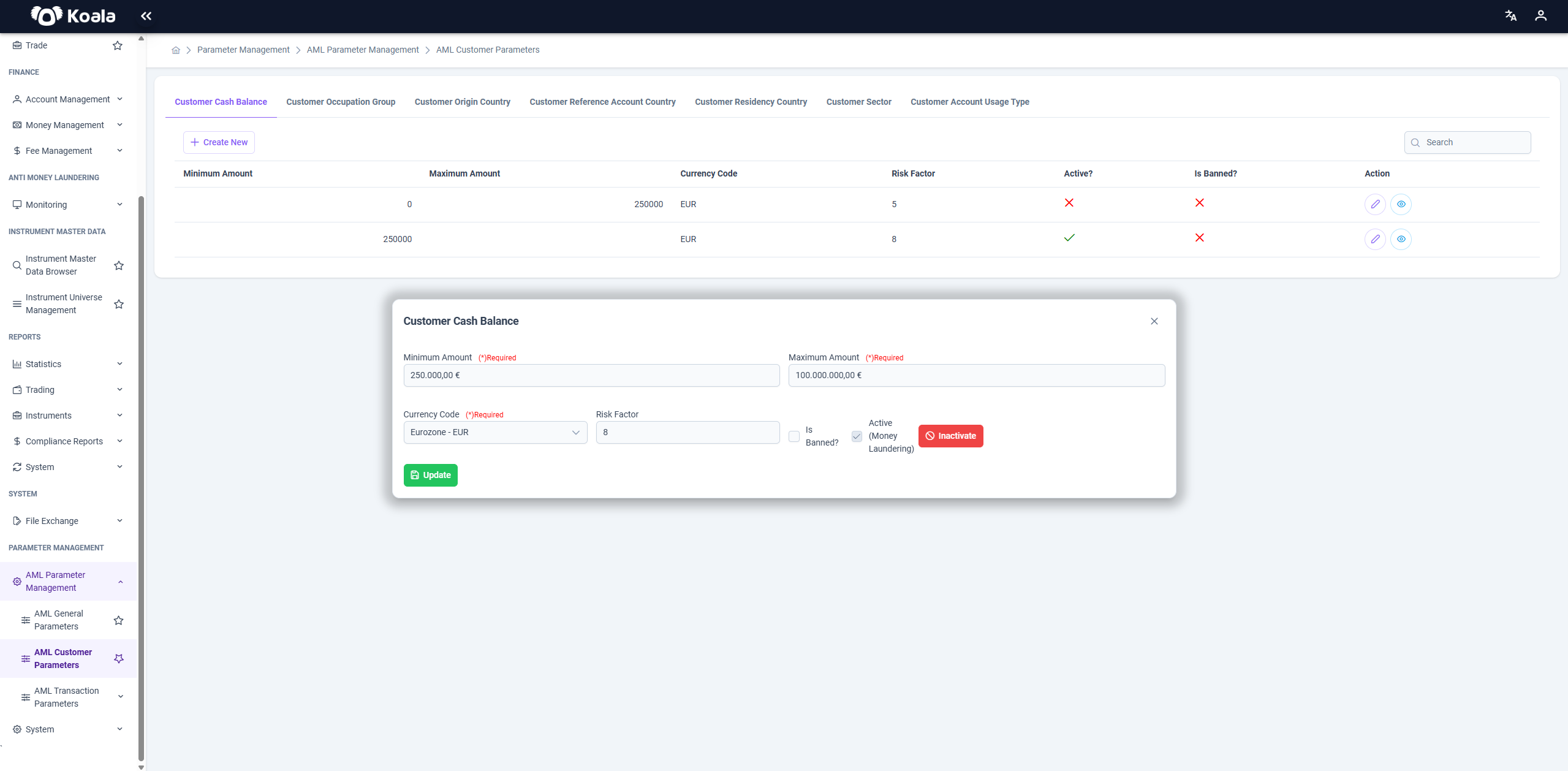
1. Customer Cash Balance
Configure risk levels based on the customer's current cash balance. You can define thresholds for minimum and maximum balances and assign corresponding risk factors.
Table Columns:
- Minimum Amount
- Maximum Amount
- Currency Code
- Risk Factor
- Active?
- Is Banned?
- Action (Edit / View)
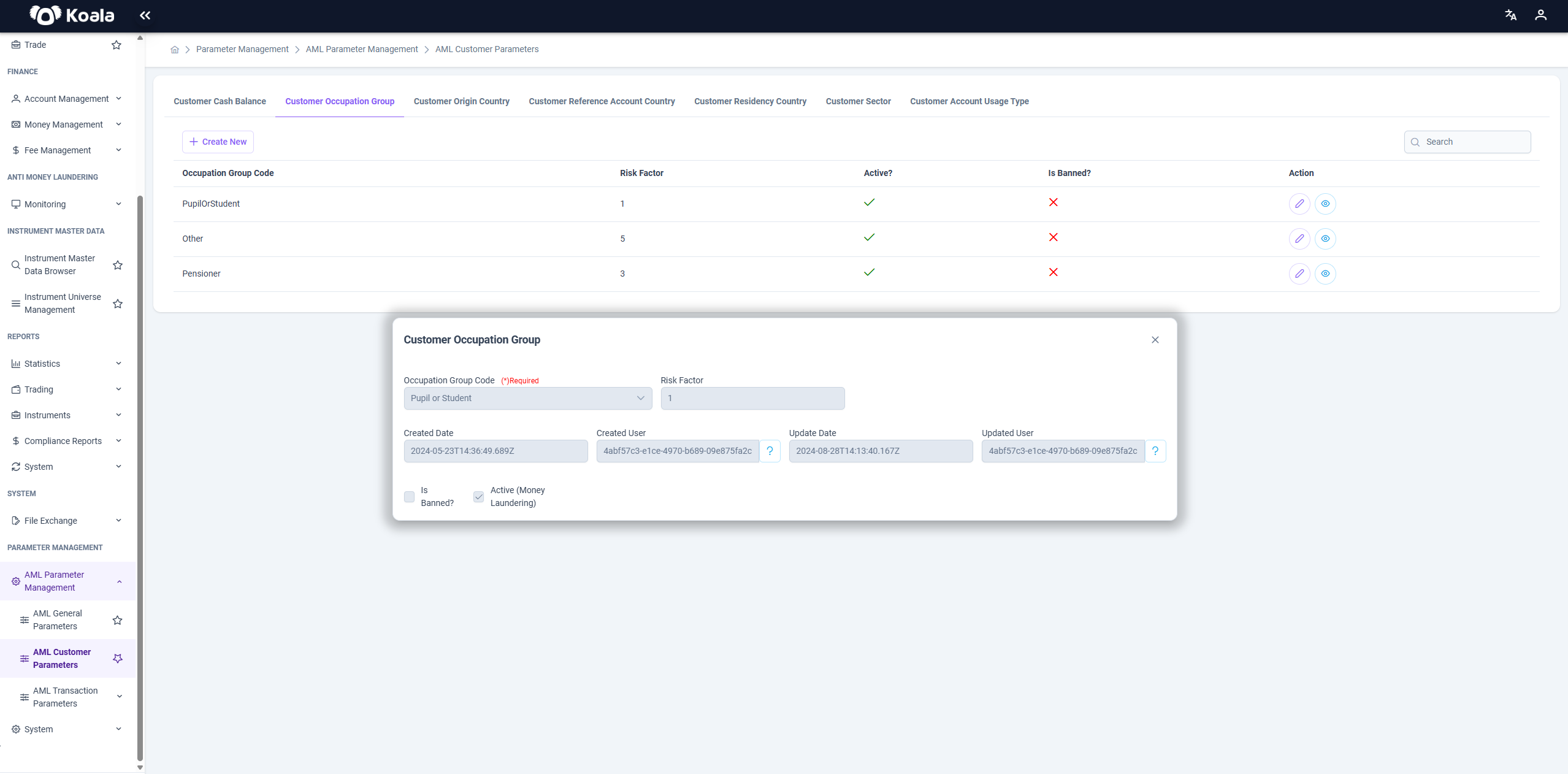
2. Customer Occupation Group
Assign risk factors depending on the customer’s occupation or professional group.
Table Columns:
- Occupation Group Code
- Risk Factor
- Active?
- Is Banned?
- Action (Edit / View)
Examples of Occupation Group Codes:
PupilOrStudentOtherPensioner
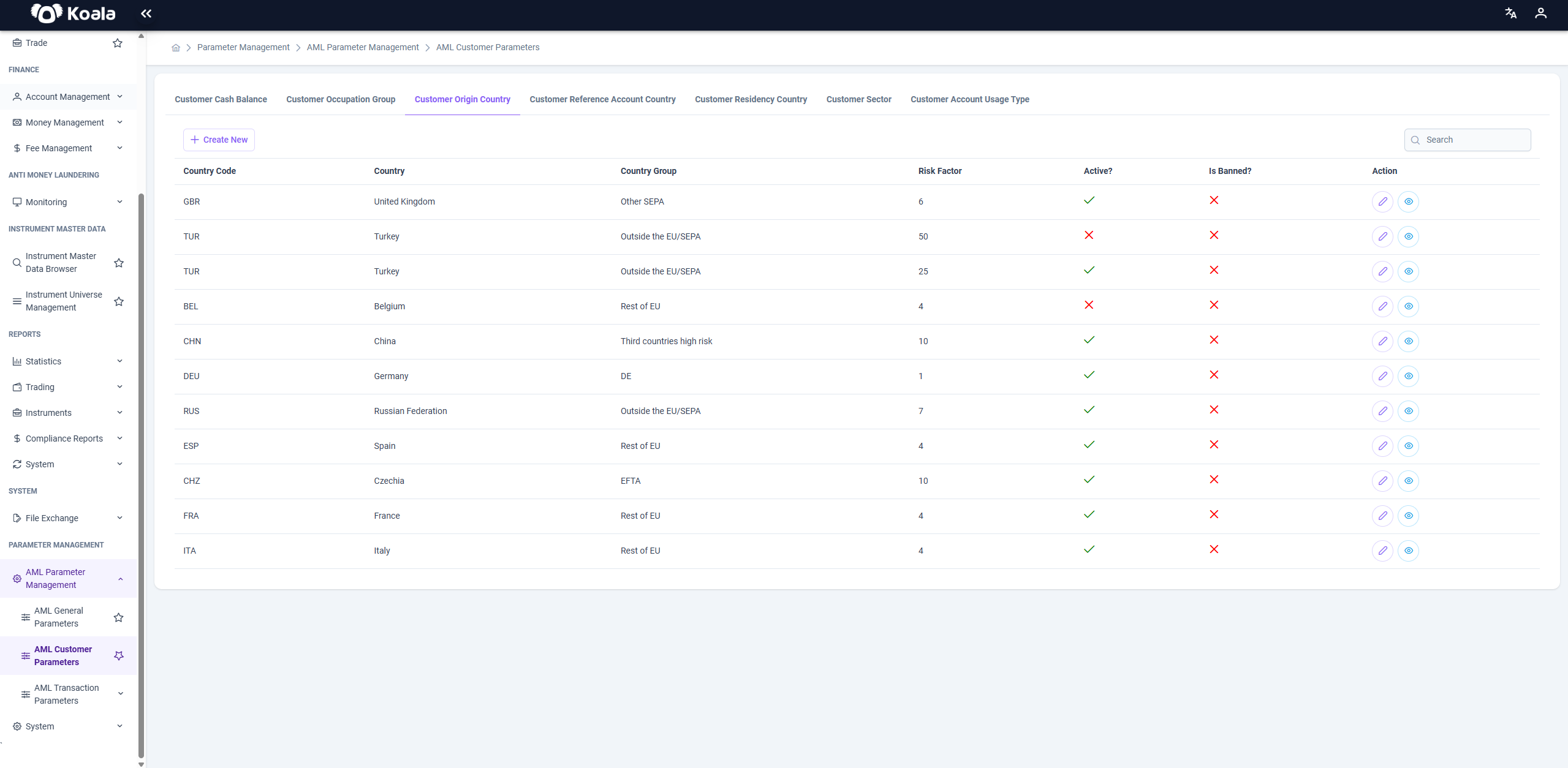
3. Customer Origin Country
Apply country-based risk for the customer's origin. Higher risk can be assigned to politically exposed or high-risk countries.
Table Columns:
- Country Code
- Country
- Country Group
- Risk Factor
- Active?
- Is Banned?
- Action (Edit / View)
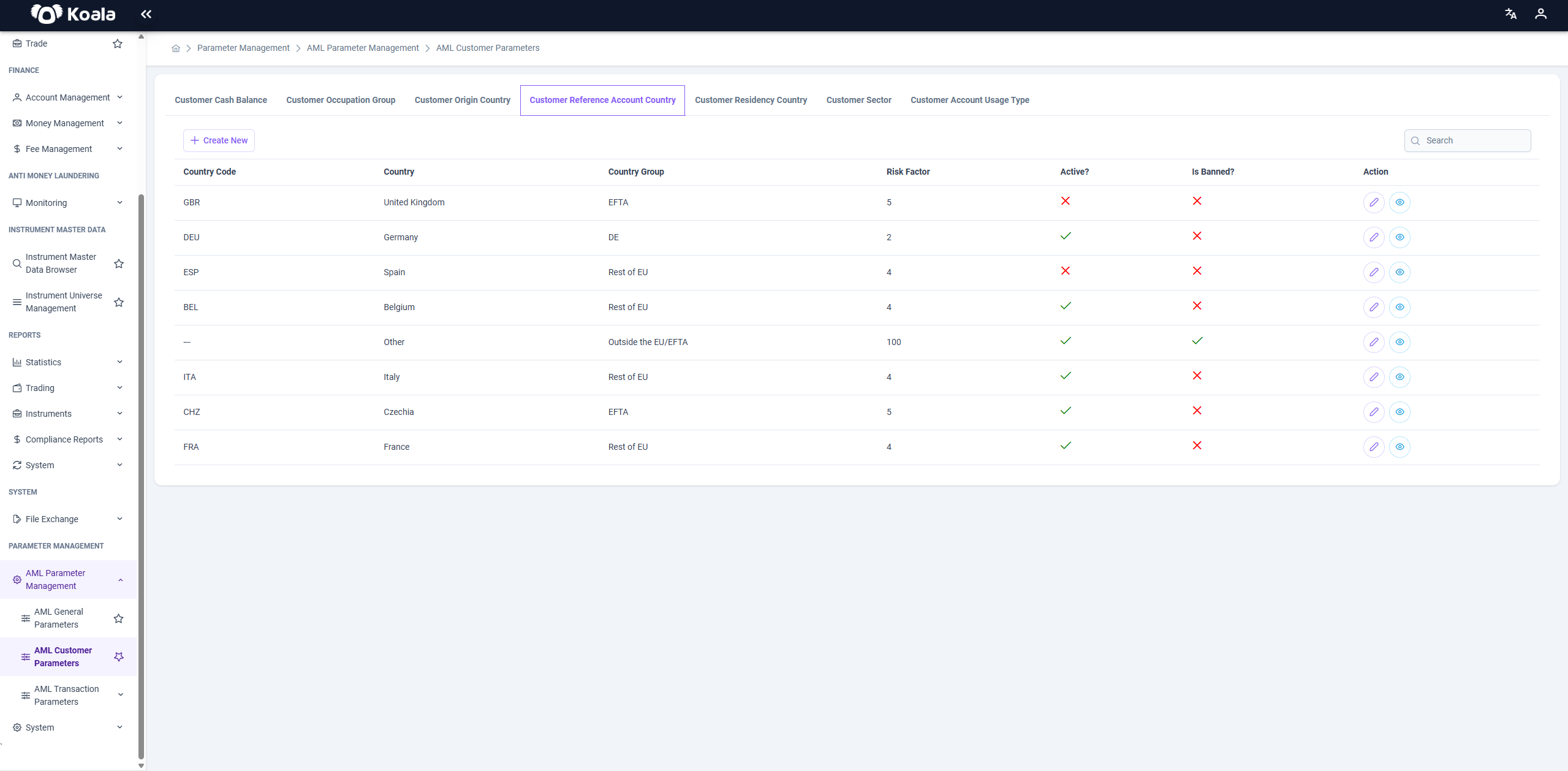
4. Customer Reference Account Country
Assign risk based on the country where the customer’s bank account is held.
Table Columns:
- Country Code
- Country
- Country Group
- Risk Factor
- Active?
- Is Banned?
- Action (Edit / View)
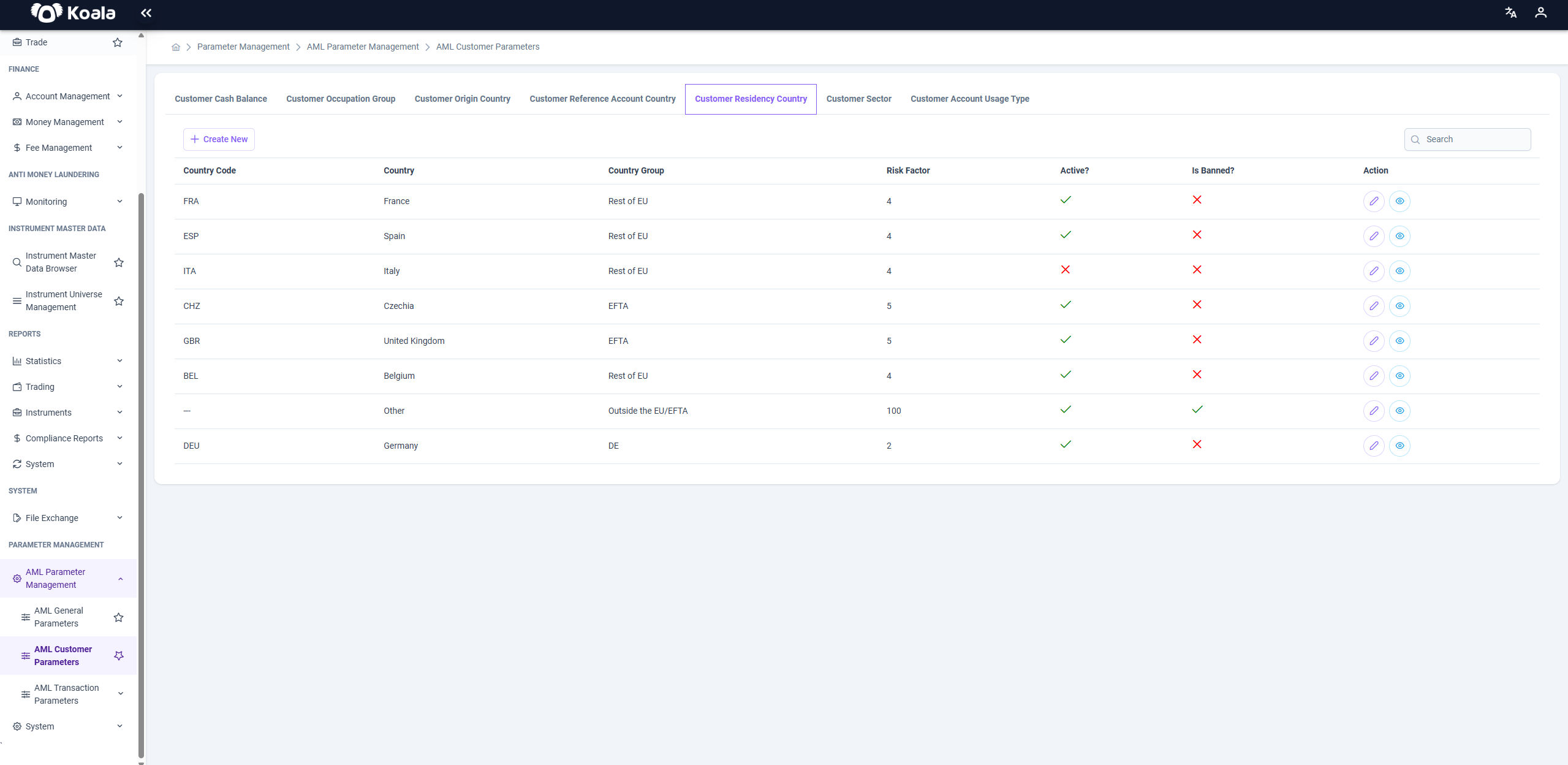
5. Customer Residency Country
Set risk levels for the customer's country of residence.
Table Columns:
- Country Code
- Country
- Country Group
- Risk Factor
- Active?
- Is Banned?
- Action (Edit / View)
6. Customer Sector
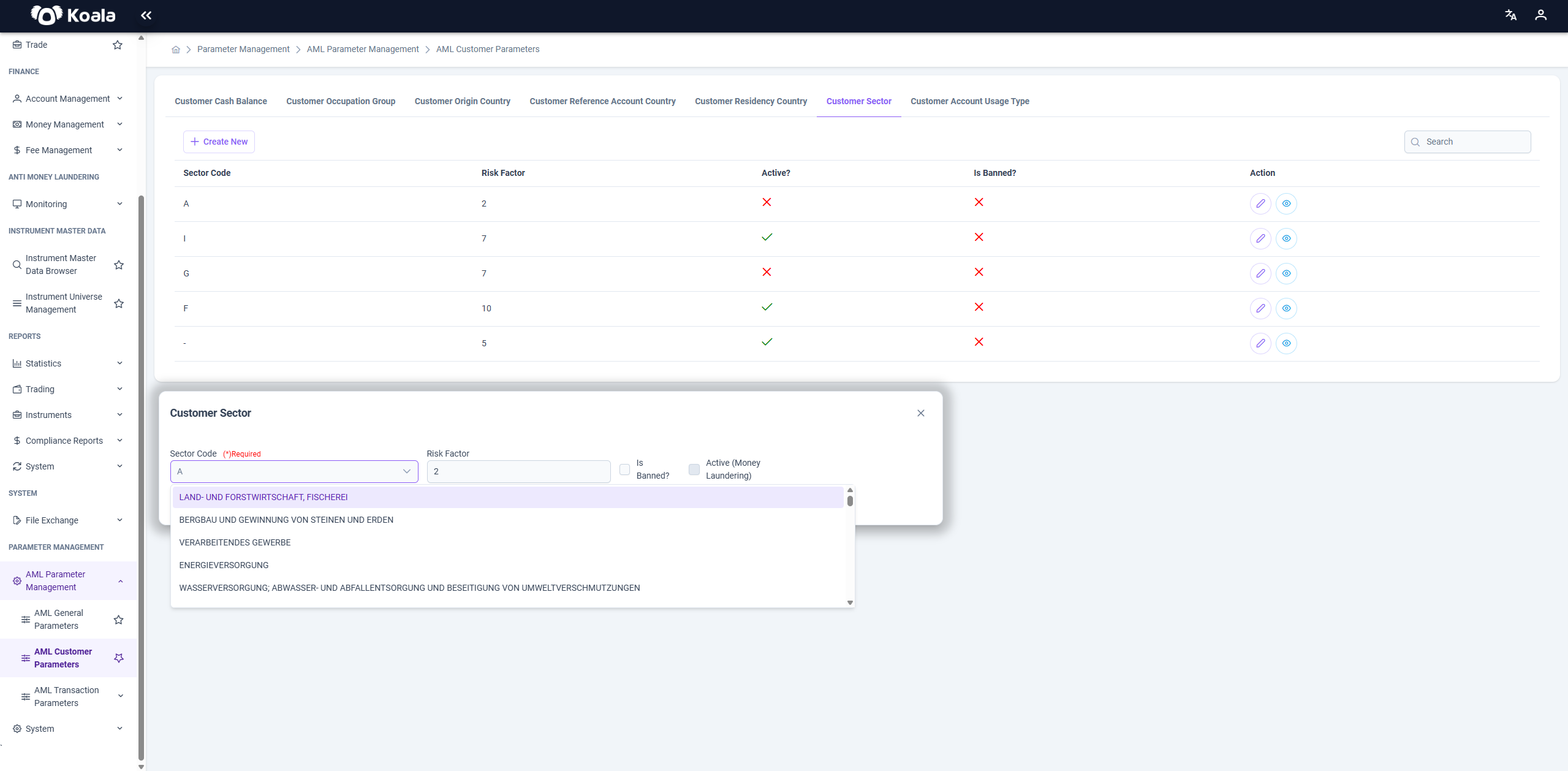
Configure risk levels based on the business or industry sector in which the customer operates.
Table Columns:
- Sector Code
- Risk Factor
- Active?
- Is Banned?
- Action (Edit / View)
7. Customer Account Usage Type
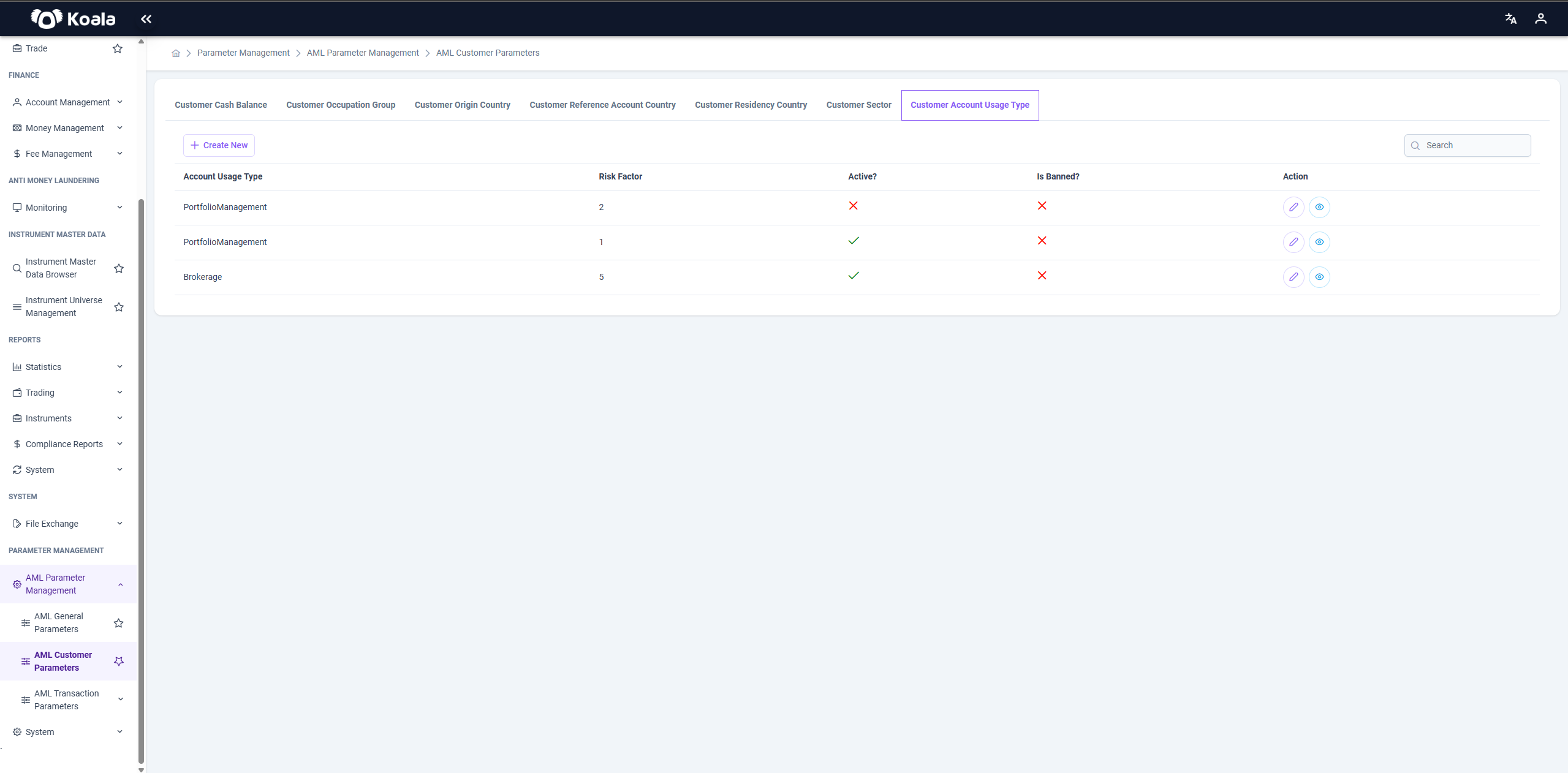
Assign different risk values for usage types such as Portfolio Management or Brokerage.
Table Columns:
- Account Usage Type
- Risk Factor
- Active?
- Is Banned?
- Action (Edit / View)
🧠 Note: Risk Factor can be a value between 0 and 100. It is used by the AML engine to assess the customer's overall risk profile.