🔍 AML Transaction Parameters
The AML Transaction Parameters screen is used to define risk-based thresholds and rules that are applied to transactions during AML checks. These rules are separated into two main categories:
📊 1. Aggregate Transactions
Aggregate Transactions refer to the total volume or number of transactions performed by a customer over a certain period. These parameters help detect unusual or high-volume transactional behavior.
There are two sub-tabs under this section:
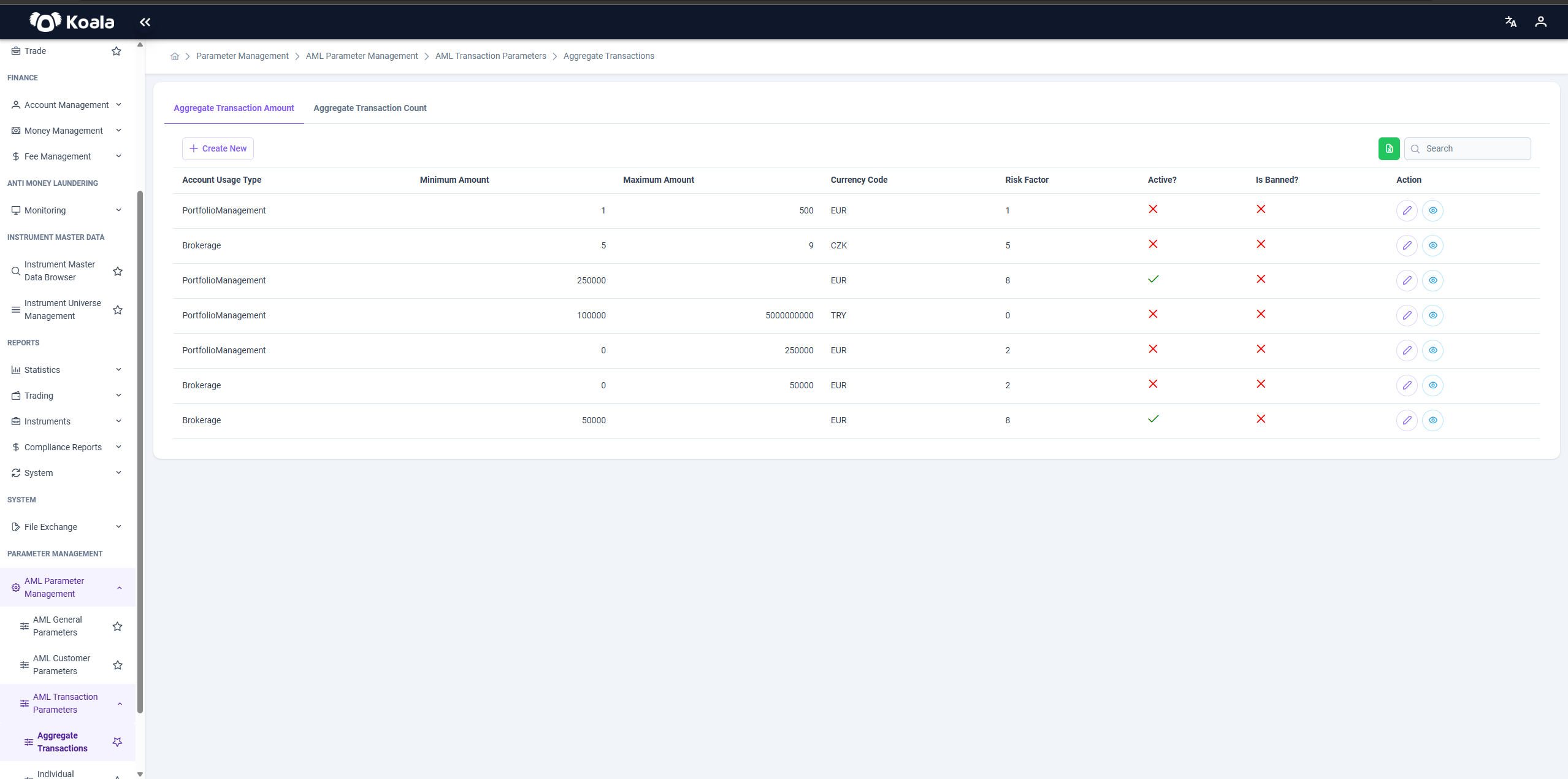
➕ Aggregate Transaction Amount
Defines the cumulative monetary value of transactions over a period.
Table Columns:
Account Usage Type | Minimum Amount | Maximum Amount | Currency Code | Risk Factor | Active? | Is Banned? | Action (Edit / View)
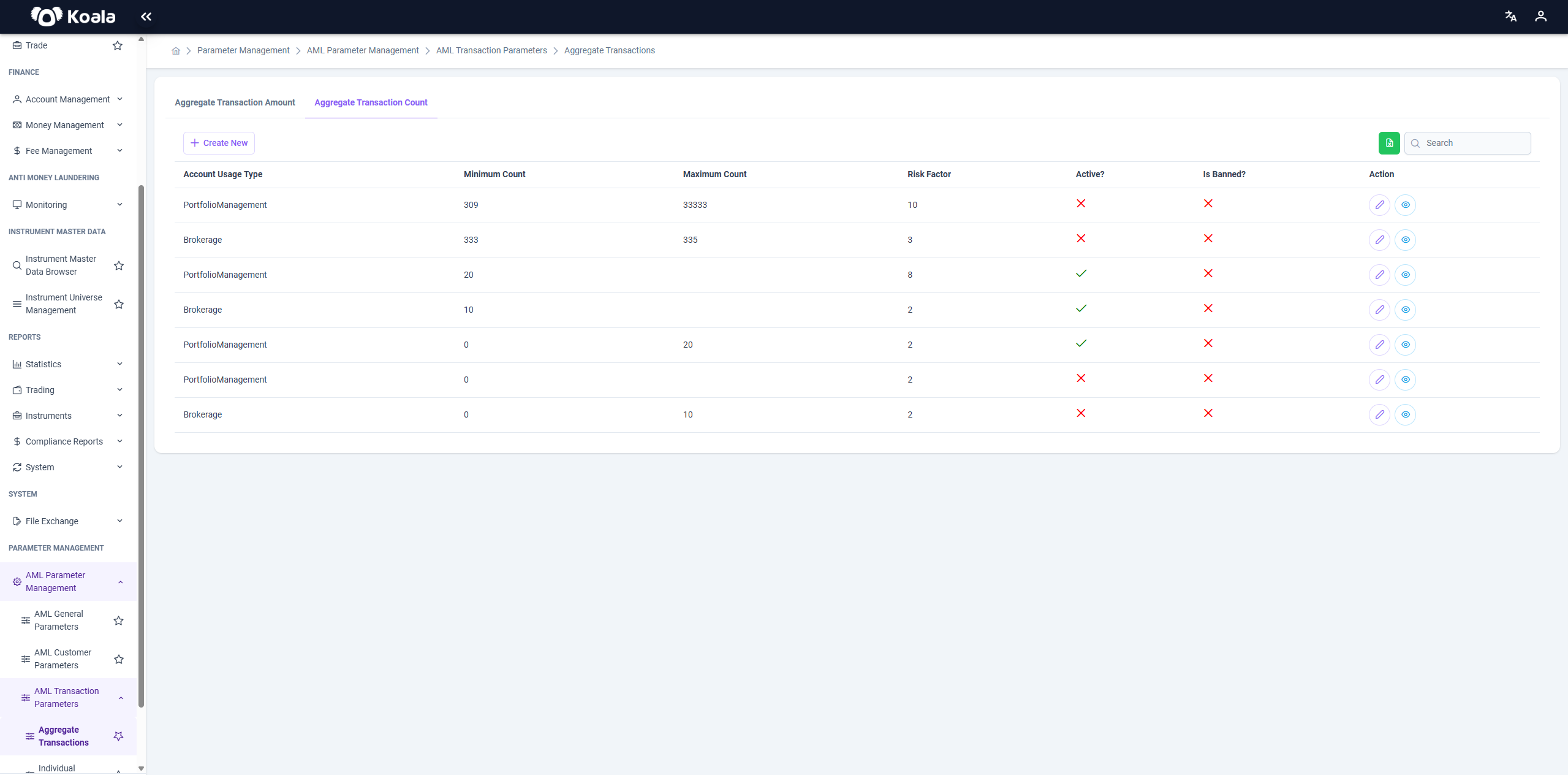
➕ Aggregate Transaction Count
Defines the total number of transactions over a specific timeframe, regardless of amount.
Example Use Case:
If a customer makes more than 100 transactions in 7 days, assign higher risk.
💳 2. Individual Transactions
Individual Transactions focus on the details of each individual transaction. These rules are applied at the transaction level and consider factors such as the amount, counterparty accounts, and reference account details.
Sub-tabs under this section:
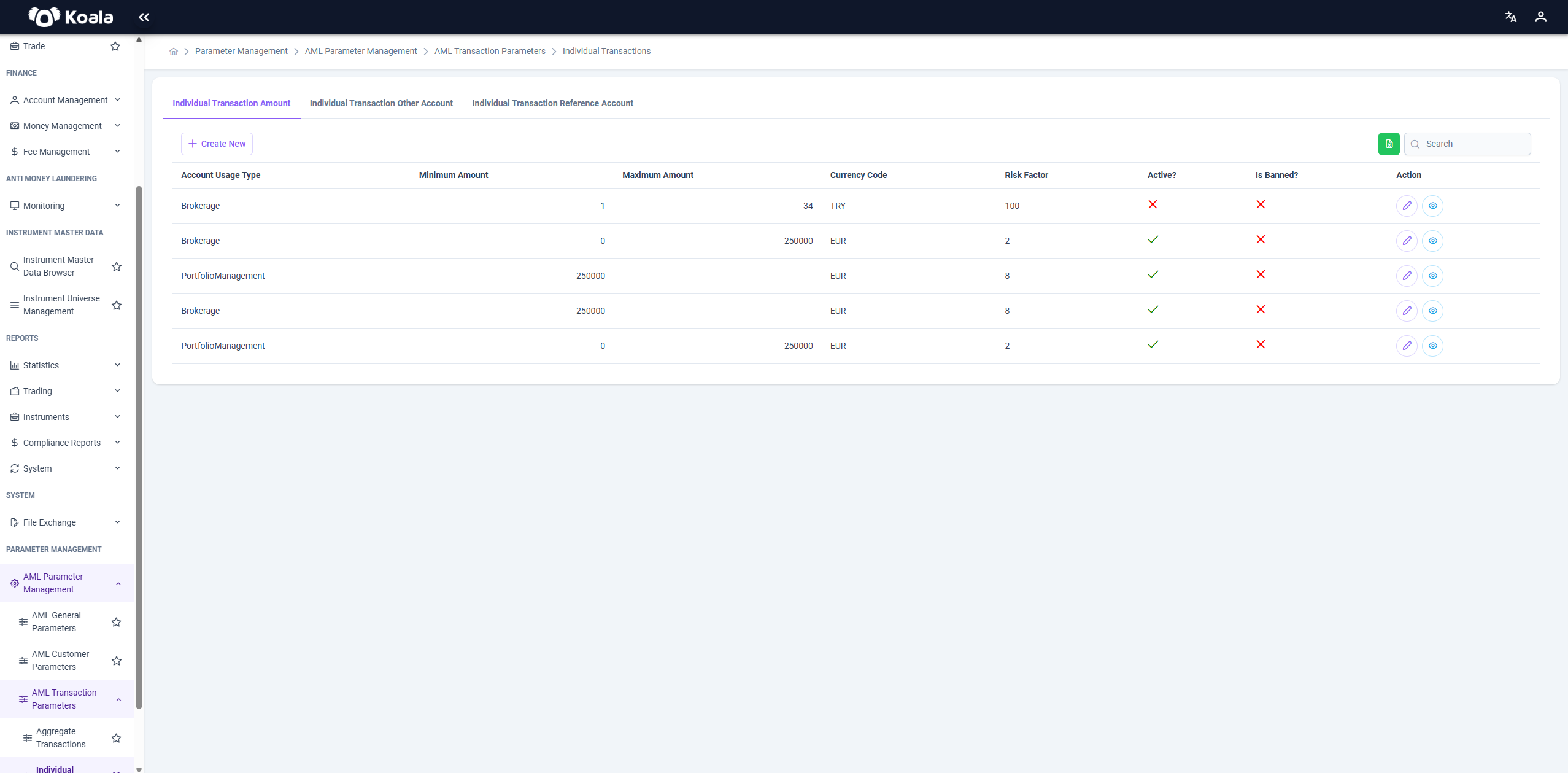
➕ Individual Transaction Amount
Set risk parameters for a single transaction’s value.
Example: Transactions over €10,000 are considered higher risk.
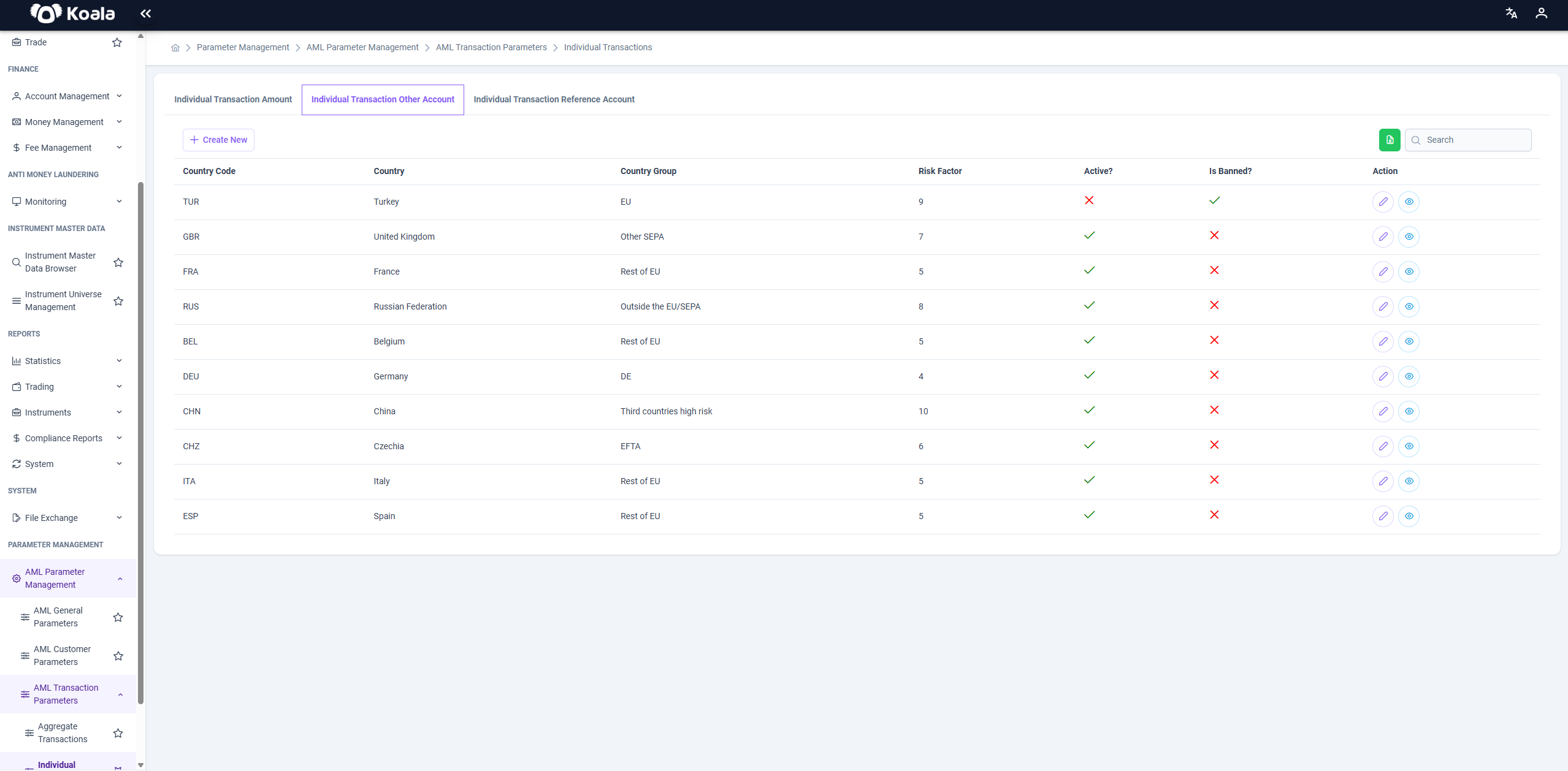
➕ Individual Transaction Other Account
Define rules for external counterparties involved in a transaction.
Used to assess risk when a customer sends/receives funds from an external source.
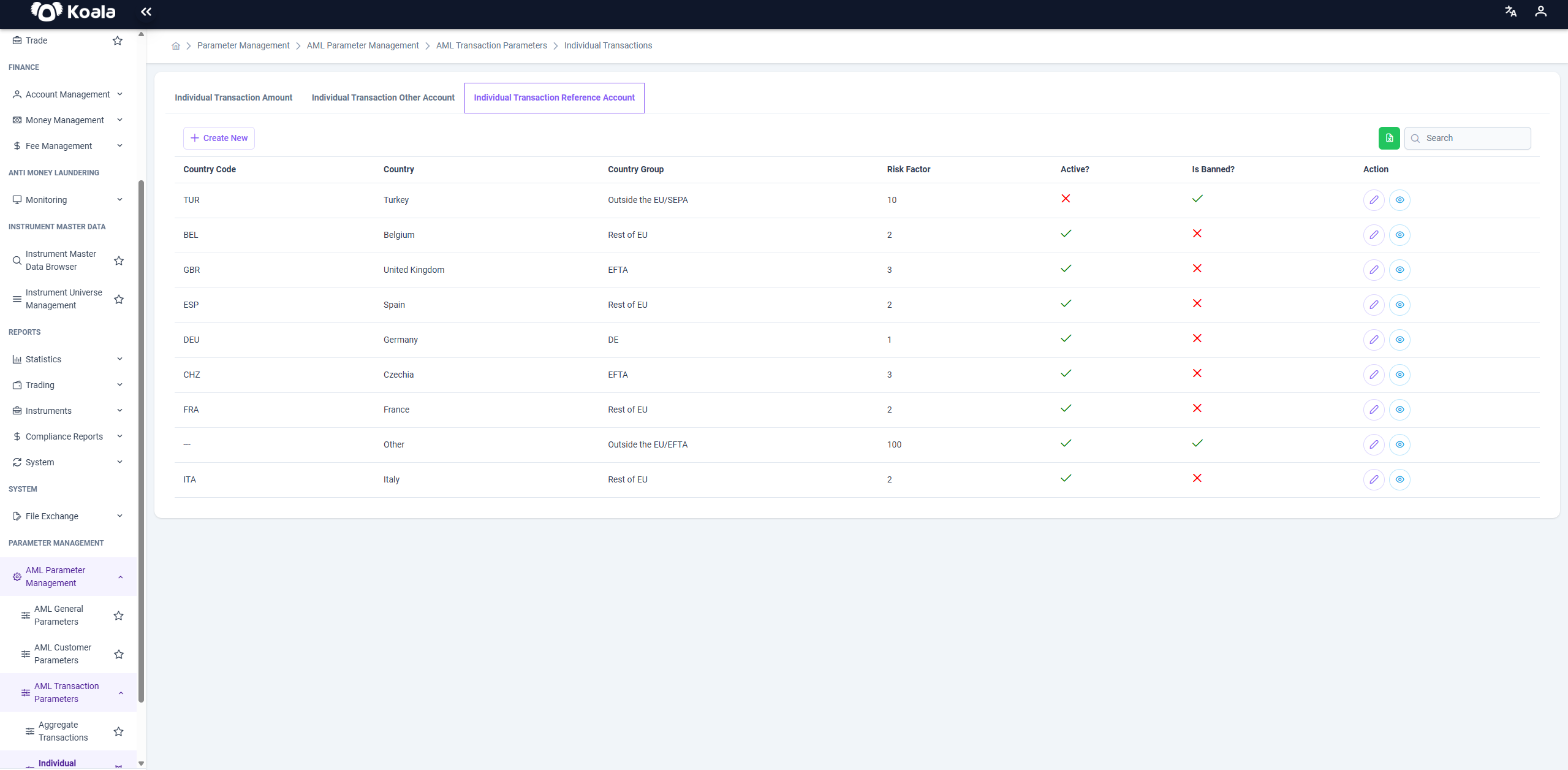
➕ Individual Transaction Reference Account
Applies risk parameters based on the customer’s own reference bank account.
Can flag mismatches or high-risk account behaviors.
⚙️ Common Features
- ✅ Create New: Add new parameter rules for each tab.
- 🔍 Search: Use the search bar to quickly filter by usage type, amount, currency, or risk.
- ✏️ Edit: Update existing rules. Active parameters can be modified; inactive ones are locked.
- 🚫 Inactivate: Disable rules that are no longer in use.
- 📤 Export to Excel: Export current parameter configurations for documentation or review.
- 👁️ View Details: See parameter settings in a read-only view.
📌 Risk Factor values range from 0 to 100 and are used by the AML engine to calculate overall transaction risk.