⚙️ AML General Parameters
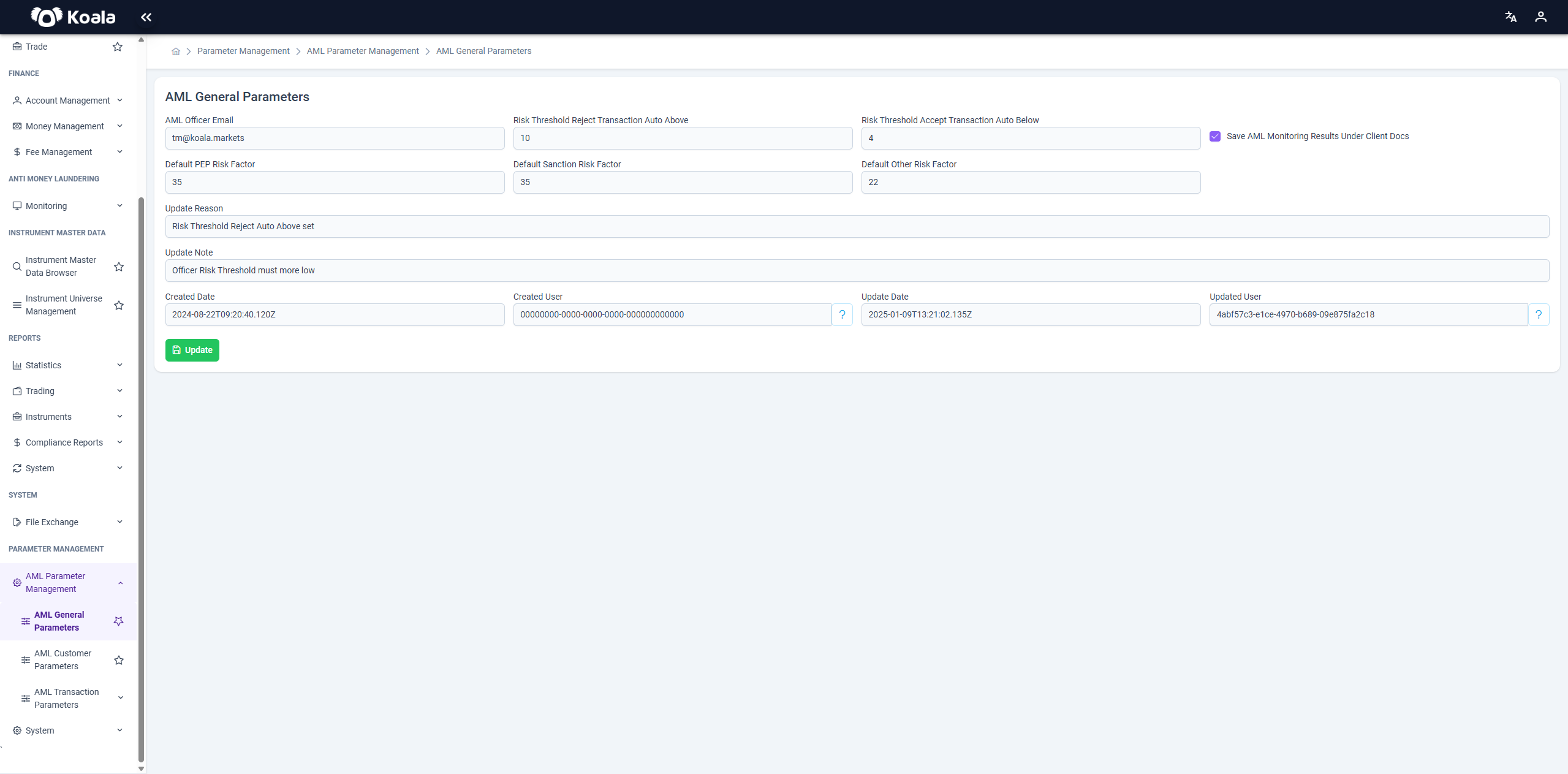
The AML General Parameters screen allows authorized users to configure the core anti-money laundering (AML) risk thresholds and global control settings that impact all monitoring logic within the system.
These parameters play a critical role in determining how the system auto-responds to transactions based on their calculated risk scores, and in defining the baseline values for various AML-related risk factors.
🔧 Editable Fields
-
AML Officer Email
The email address of the AML officer responsible for receiving alerts and notifications. -
Risk Threshold Reject Transaction Auto Above
Transactions with a risk score above this value will be automatically rejected. -
Risk Threshold Accept Transaction Auto Below
Transactions with a risk score below this value will be automatically accepted. -
Default PEP Risk Factor
Base risk value assigned to individuals identified as Politically Exposed Persons (PEPs). -
Default Sanction Risk Factor
Default risk score used for clients/entities flagged by sanction lists. -
Default Other Risk Factor
Catch-all risk value applied when a transaction does not fall into predefined risk categories. -
Save AML Monitoring Results Under Client Docs
When checked, the system will store monitoring outcomes as part of the client's document archive.
📝 Update Information
-
Update Reason / Update Note
Users must provide a reason and note when modifying any of the above parameters. This ensures traceability and auditability. -
Created Date / Created User
Shows when and by whom the parameters were originally configured. -
Updated Date / Updated User
Displays the most recent update timestamp and the user who made the change.
✅ Action Button
- Update
Once changes are made, the user can click this button to save and apply new general AML parameter settings across the platform.
⚠️ These parameters affect all risk scoring and transaction decision logic within the AML system. Changes should only be performed by compliance officers or system administrators with appropriate authority.