Direct Debit Instruction
The Direct Debit Instructions page in the Koala platform is designed to manage and monitor standing payment instructions where an organization initiates debits from client accounts. This functionality is crucial for automating recurring payments such as subscriptions, loan repayments, or regular billing cycles, providing a seamless and controlled mechanism for fund collection.
Direct Debit Instructions (DDIs) serve as formal authorizations that allow the creditor to collect payments from a debtors bank account automatically on agreed terms.
What Is a Direct Debit Instruction?
A Direct Debit Instruction is an agreement initiated by the creditor and authorized by the debtor, allowing the creditor to automatically withdraw specified amounts from the debtors bank account on a recurring basis. This can be based on a fixed or variable schedule and is especially beneficial for:
- Reducing manual payment efforts
- Minimizing missed payments
- Enhancing payment reliability and cash flow predictability
Each Direct Debit Instruction in the Koala system contains key data such as internal and external account details, mandate references, execution preferences, and associated execution dates.
Page Structure and Functionality
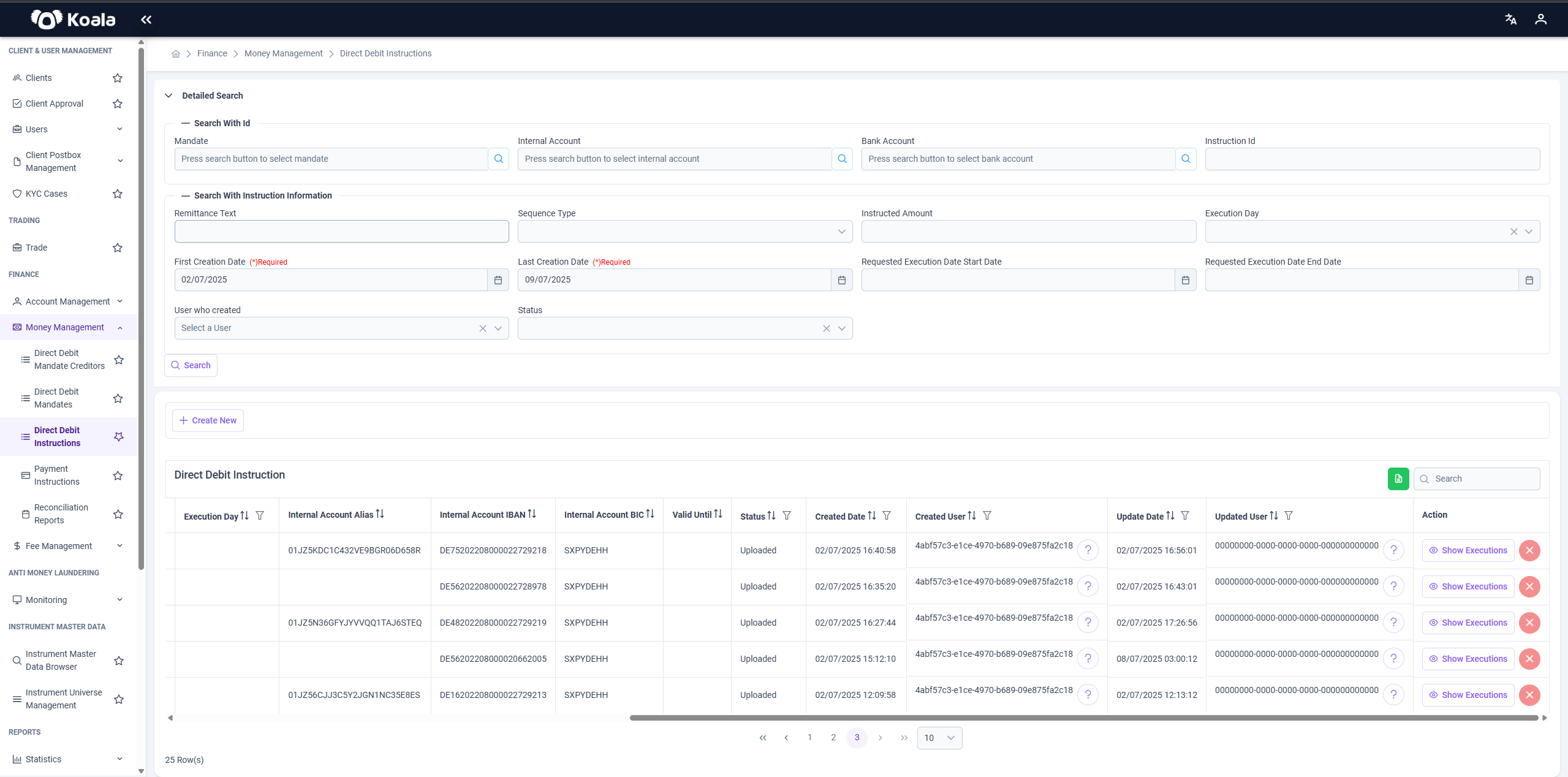
1. Filters and Detailed Search Options
Located at the top of the page, these filters allow users to narrow down search results and view relevant Direct Debit Instructions based on several criteria:
- Mandate: Select a specific direct debit mandate reference.
- Internal Account: Choose the internal account initiating the instruction.
- Bank Account: Select the external (client) bank account.
- Instruction ID: Filter by specific instruction ID.
- Remittance Text: Enter reference or remittance information for filtering.
- Sequence Type: Choose instruction sequence (e.g., one-time, recurring).
- Instructed Amount: Filter by the amount instructed to be debited.
- Execution Day: Select the recurring execution day.
- Requested Execution Date Start/End: Define a date range for planned execution.
- Creation Date (Required): Specify the time period during which the instruction was created. Both First and Last Creation Dates are mandatory fields.
- Status: Filter by instruction status (e.g., Uploaded, Approved, Failed).
- User Who Created: Filter by the system user who created the instruction.
After defining search criteria, users can click the Search button to retrieve matching results.
2. Create New Instruction
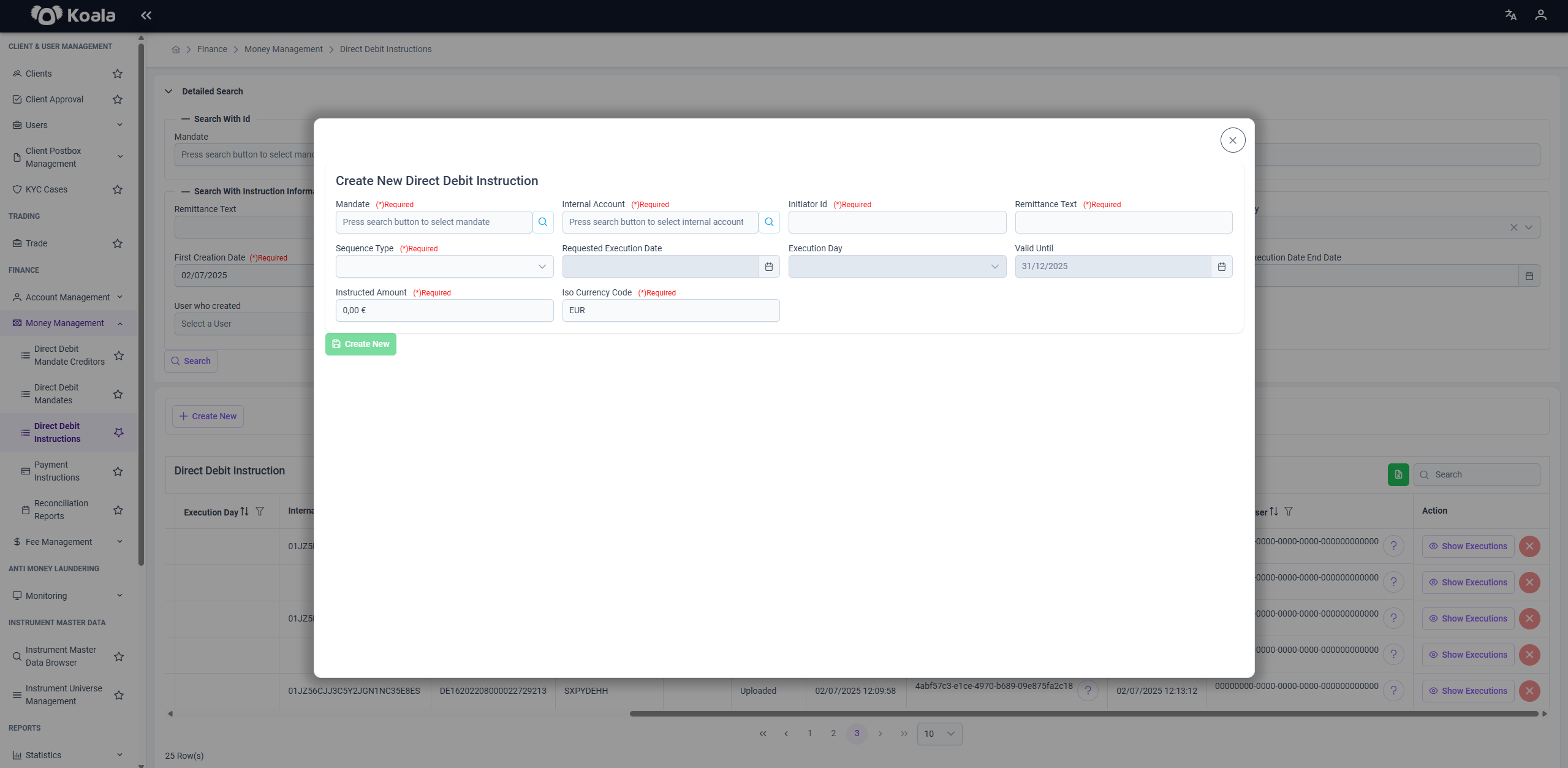
The + Create New button allows users to initiate a new Direct Debit Instruction. Upon clicking:
- A form opens where required fields such as accounts, mandate, amount, and execution preferences can be filled out.
- Once submitted, the new instruction appears in the instruction table with status and audit information.
3. Instruction Table
This table displays the list of Direct Debit Instructions that match the current filters. Columns include:
- Execution Day: The day on which the debit is to be executed.
- Internal Account Alias / IBAN / BIC: Details of the initiating internal account.
- Valid Until: The expiration date for the instruction.
- Status: Current state of the instruction (e.g., Uploaded).
- Created Date / Created User: Audit information showing when and by whom the instruction was created.
- Update Date / Updated User: Information on the last update performed.
- Action: Allows users to view the executions associated with each instruction.
4. Show Executions
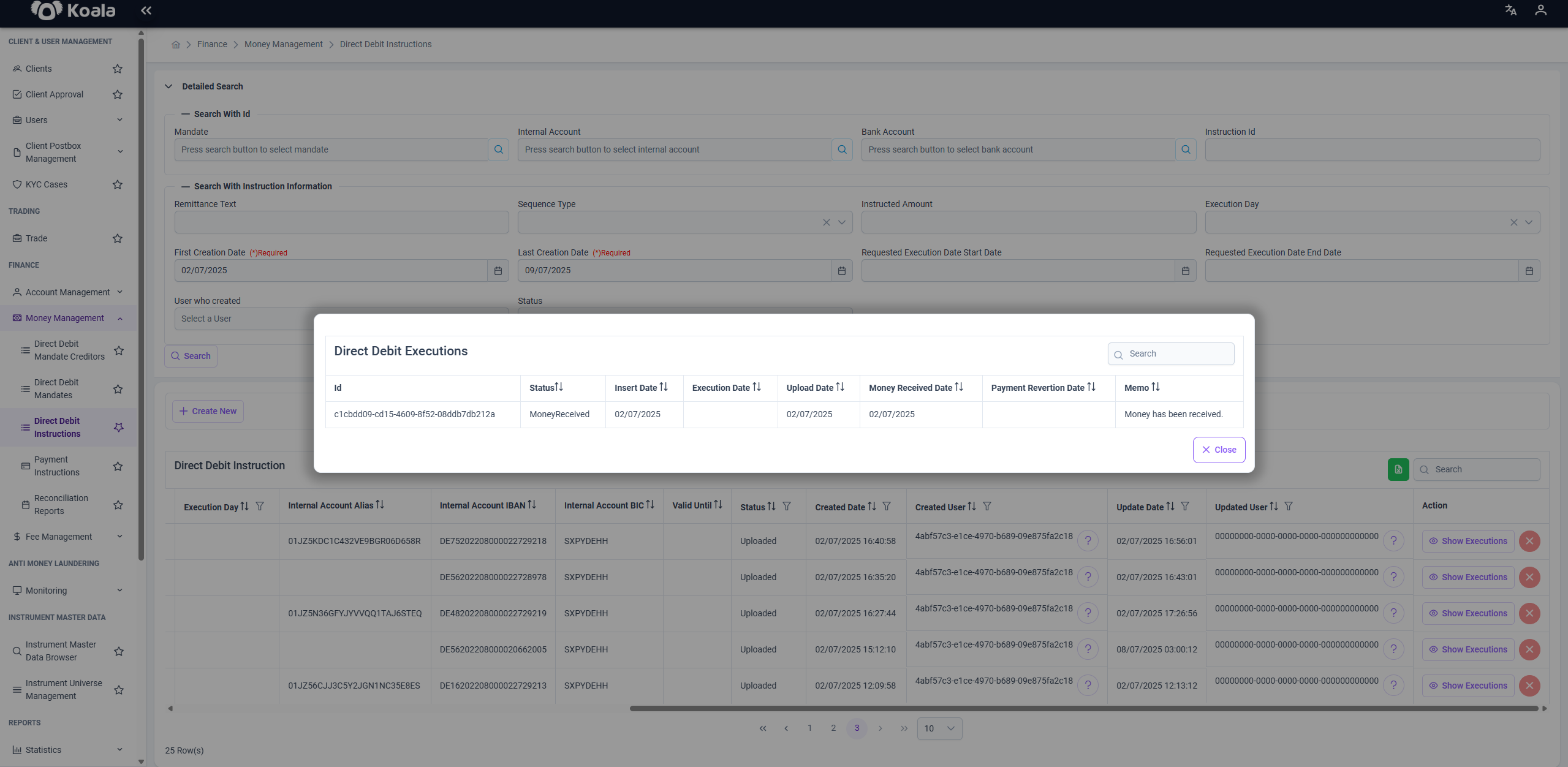
By clicking the "Show Executions" button in the Action column, users can view a detailed list of executions linked to that instruction. This includes:
- Execution dates
- Execution status (e.g., Processed, Failed)
- Payment results
- Return messages from the bank (if any)
This view provides transparency over what has been executed and highlights any anomalies or failures for further investigation.
Summary
The Direct Debit Instructions module in Koala offers a comprehensive interface for managing, monitoring, and auditing automated debit orders. It ensures compliance, automation, and operational transparency while reducing the administrative burden of recurring payments.
With advanced filtering, audit logs, and execution traceability, it empowers financial operations teams to maintain precise control over their direct debit workflows.