Direct Debit Mandate Creditor
A Direct Debit Mandate Creditor refers to a legal or contractual entity that is authorized to initiate direct debit transactions against debtor accounts. These entities typically include:
- Financial institutions
- Corporate billing entities
- Service providers (e.g., utilities, telecoms)
- Internal business units
The creditor's information is used in all related mandate and instruction workflows. Without valid creditor details, a direct debit process cannot be properly initialized or executed.
Why it Matters
- Mandate Creditor information is legally binding in many payment schemes (e.g., SEPA Direct Debit).
- It is essential for regulatory compliance (e.g., creditor scheme identifiers in Europe).
- It ensures traceability in the event of disputes or reversals.
- It enables segregation and control of funds for different creditors operating under the same platform.
📋 The Direct Debit Mandate Creditor Page
The Direct Debit Mandate Creditor page within the Koala platform is a user interface that allows authorized users to:
- Register new creditors
- View all existing creditors
- Search, filter, and sort creditors
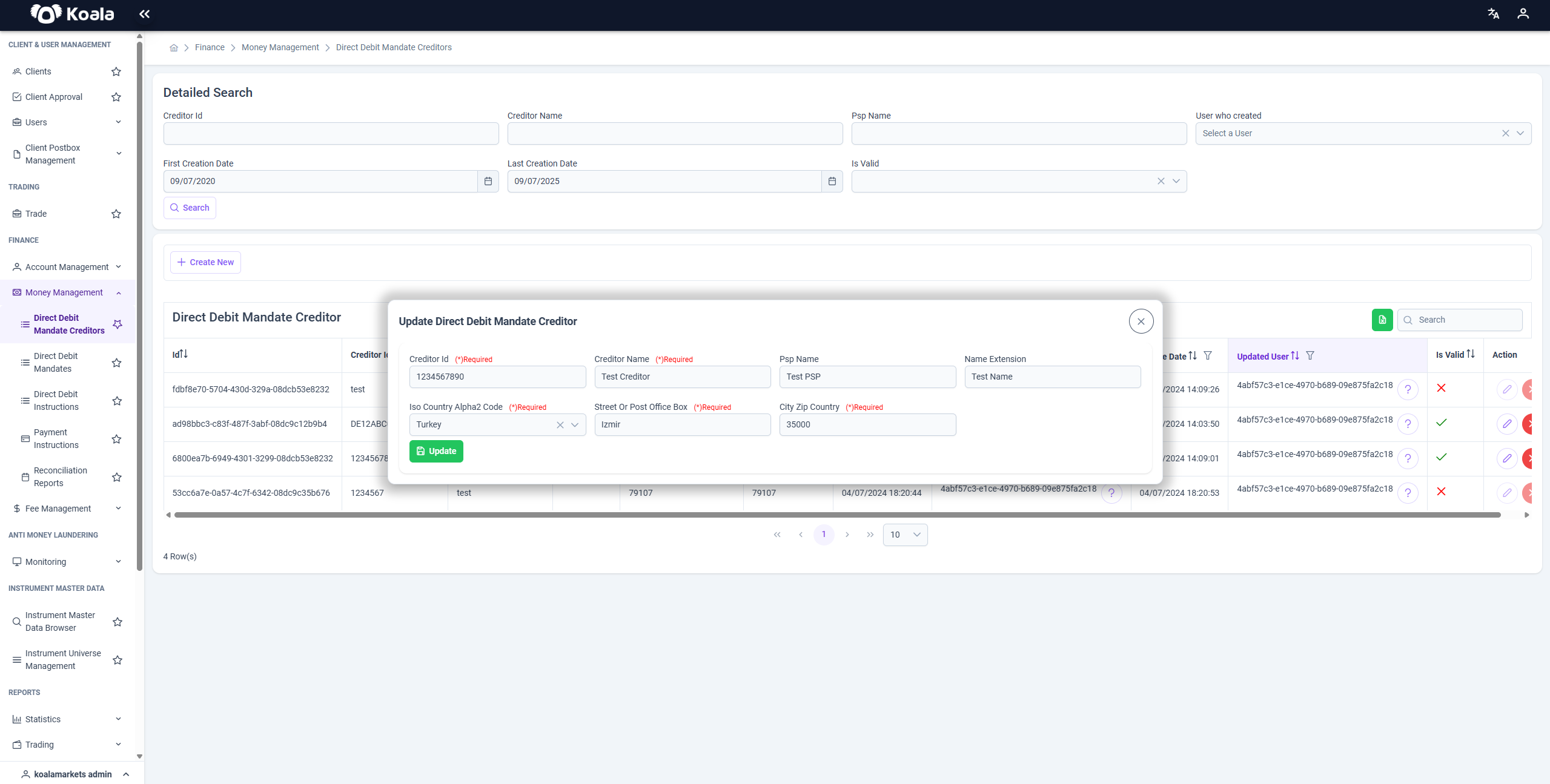
- Update creditor details
- Invalidate outdated or incorrect records
It serves as the authoritative registry of all entities eligible to issue direct debit mandates on the platform.
🔎 Filter & Search Capabilities
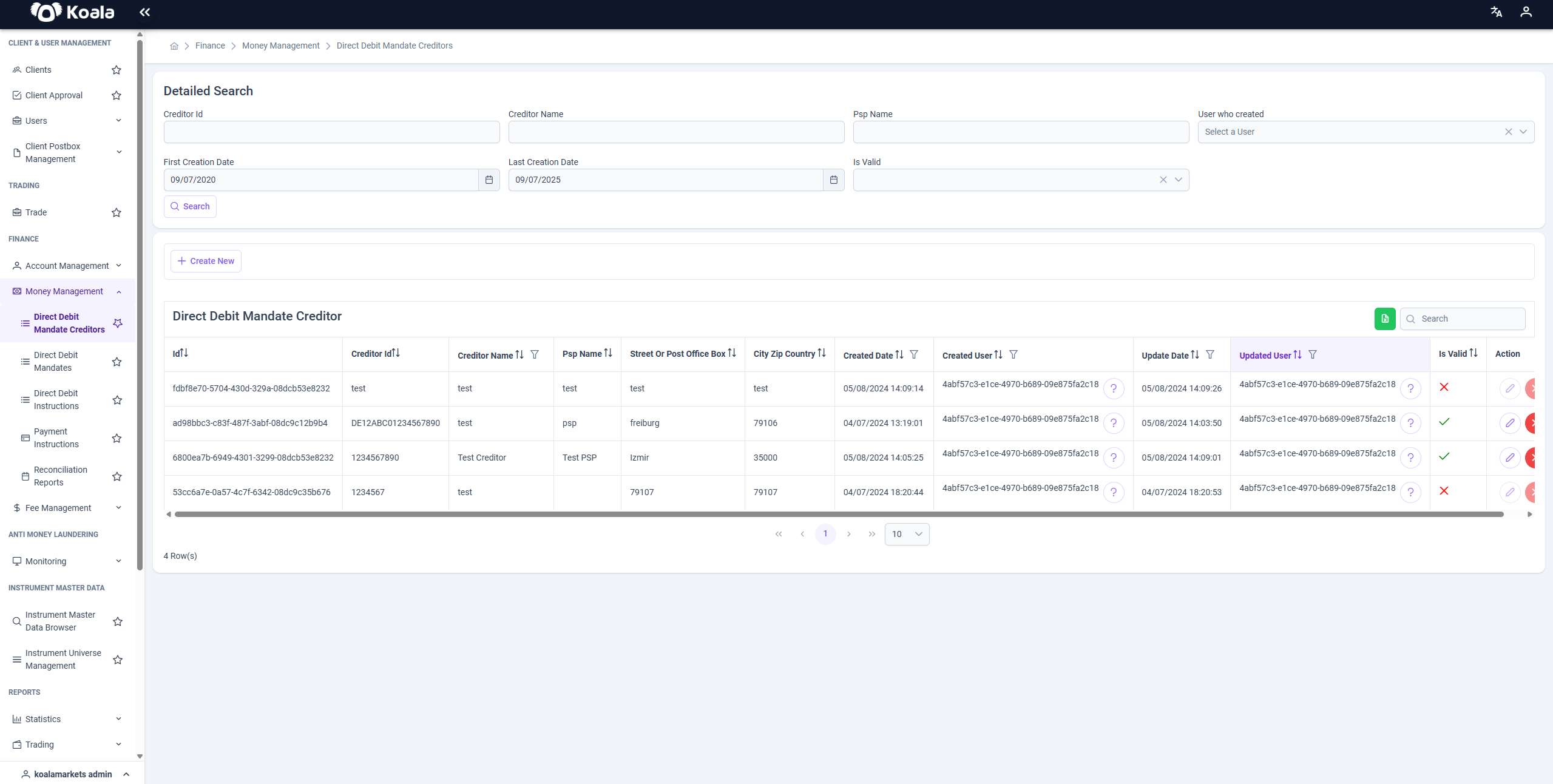
The Detailed Search panel at the top of the page allows for refined filtering and quick access to specific creditor entries. Available filters include:
- Creditor Id: Search using the unique business identifier.
- Creditor Name: Find a creditor by its registered name.
- PSP Name: Narrow the results based on the associated Payment Service Provider.
- First Creation Date / Last Creation Date: Define a time range for when the creditor was registered in the system.
- Is Valid: Filter based on the validity status of the creditor (
✔= valid,✘= invalidated). - User Who Created: Restrict results to those created by a specific platform user.
These filters are designed to support high-volume use cases and make it easier to manage large datasets efficiently.
📊 Table Overview
The table below the filter section displays the list of creditor entries with the following columns:
| Column | Description |
|---|---|
| Id | System-generated unique identifier for the record |
| Creditor Id | The business identifier (e.g., SEPA Creditor ID) |
| Creditor Name | Legal or commercial name of the creditor |
| PSP Name | Name of the PSP associated with this creditor |
| Street/Post Office | Creditor’s address (street or P.O. box) |
| City / ZIP / Country | Full location details |
| Created Date | Timestamp when the creditor was added |
| Created User | User ID of the person who created the entry |
| Updated Date | Last update timestamp |
| Updated User | Last person who modified the entry |
| Is Valid | Indicates whether the creditor is currently valid and usable |
🎯 Actions
The Action column provides quick operations for each creditor:
-
✏️ Edit (Update)
Opens the creditor form in edit mode, allowing changes to address, PSP, name, or other attributes. -
❌ Invalidate
This action marks the creditor record as invalid, preventing it from being used in future mandate creation or instruction execution.
Invalidating a creditor is a non-destructive action — the record remains in the system for historical and audit purposes.
➕ Creating a New Creditor
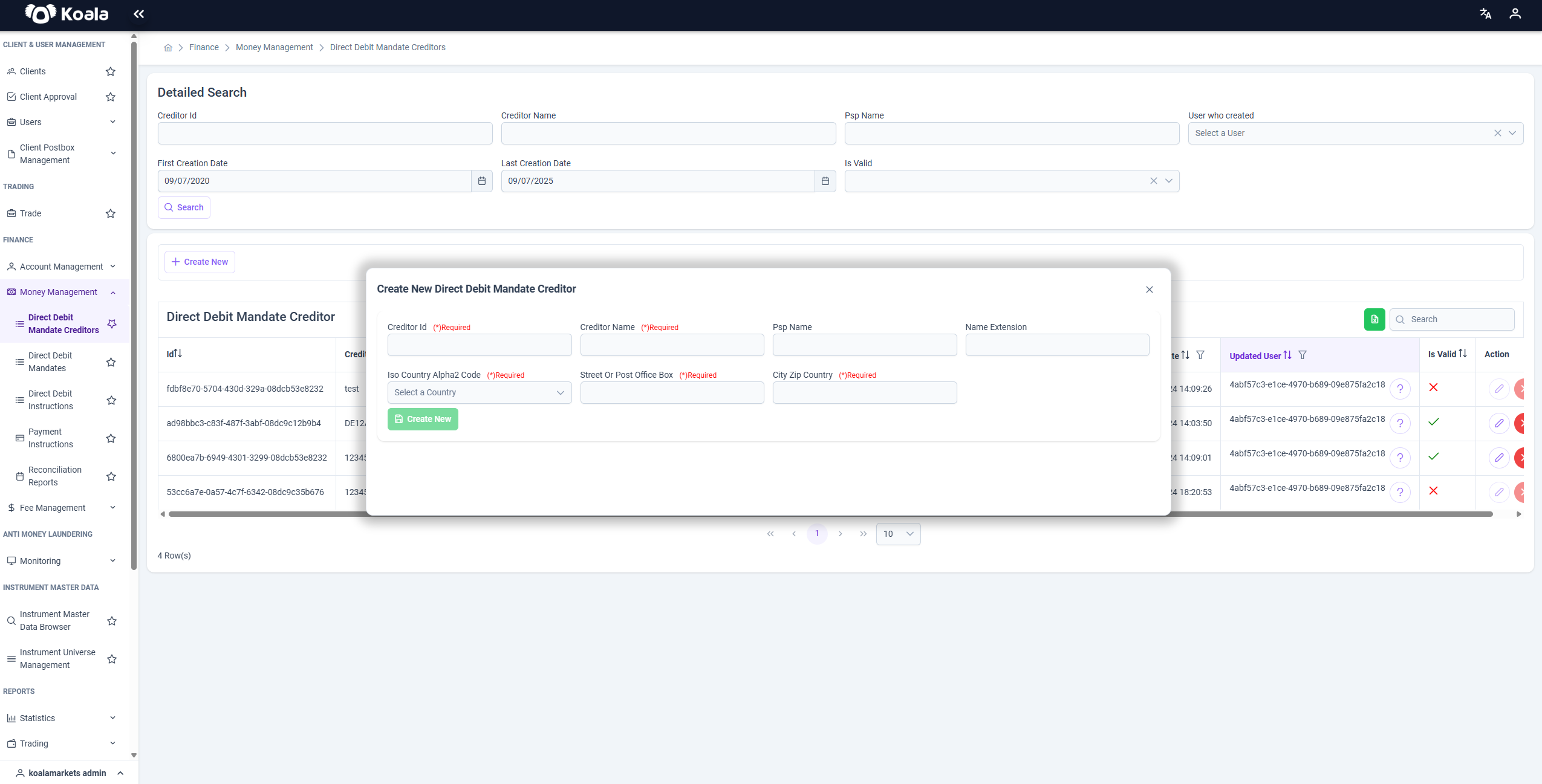
To add a new Direct Debit Mandate Creditor:
- Click the
+ Create Newbutton. - Fill in all mandatory fields:
- Creditor ID
- Creditor Name
- PSP Name
- Address (Street, City, ZIP, Country)
- Save the entry.
- The record will immediately appear in the table and become available for use in mandate creation.
✅ Best Practices
- Always verify Creditor ID formats and compliance with external schemes (e.g., SEPA standards).
- Use the invalidate function rather than deleting records to preserve full audit trails.
- Apply clear and consistent naming conventions for PSPs and creditors.
- Keep creditor data synchronized with legal and business records.
Summary
The Money Management module, and in particular the Direct Debit Mandate Creditor page, plays a key role in managing and securing the lifecycle of direct debit transactions.
It allows you to:
- Register and maintain creditor entities
- Control the validity and integrity of mandate initiators
- Support seamless direct debit operations
- Ensure full auditability and regulatory alignment
Proper use of this feature enables highly secure, efficient, and compliant handling of creditor-related operations within Koala.