🎹 Instruments
The Instruments module serves as the foundation for managing and maintaining the definitions and metadata of all tradable financial instruments within the platform.
It enables users to browse, monitor, and configure instrument details, ensuring that trading, settlement, and reporting workflows operate with accurate and consistent data.
This module is critical for preserving market data integrity and supporting both operational and regulatory processes.
📄 Sections of the Instruments Module
The Instruments module is divided into two main sections:
1️⃣ Price Feed Definitions
This section lists all instruments together with their associated price feed configurations and market data sources.
It focuses on how each instrument is linked to external or internal providers supplying real-time or historical price data.
2️⃣ Trading Venues
This section provides information about the venues (exchanges, marketplaces, or OTC environments) where instruments are traded.
It includes venue-specific metadata, such as MIC codes, trading rules, and supported instruments.
📈 Price Feed Definitions
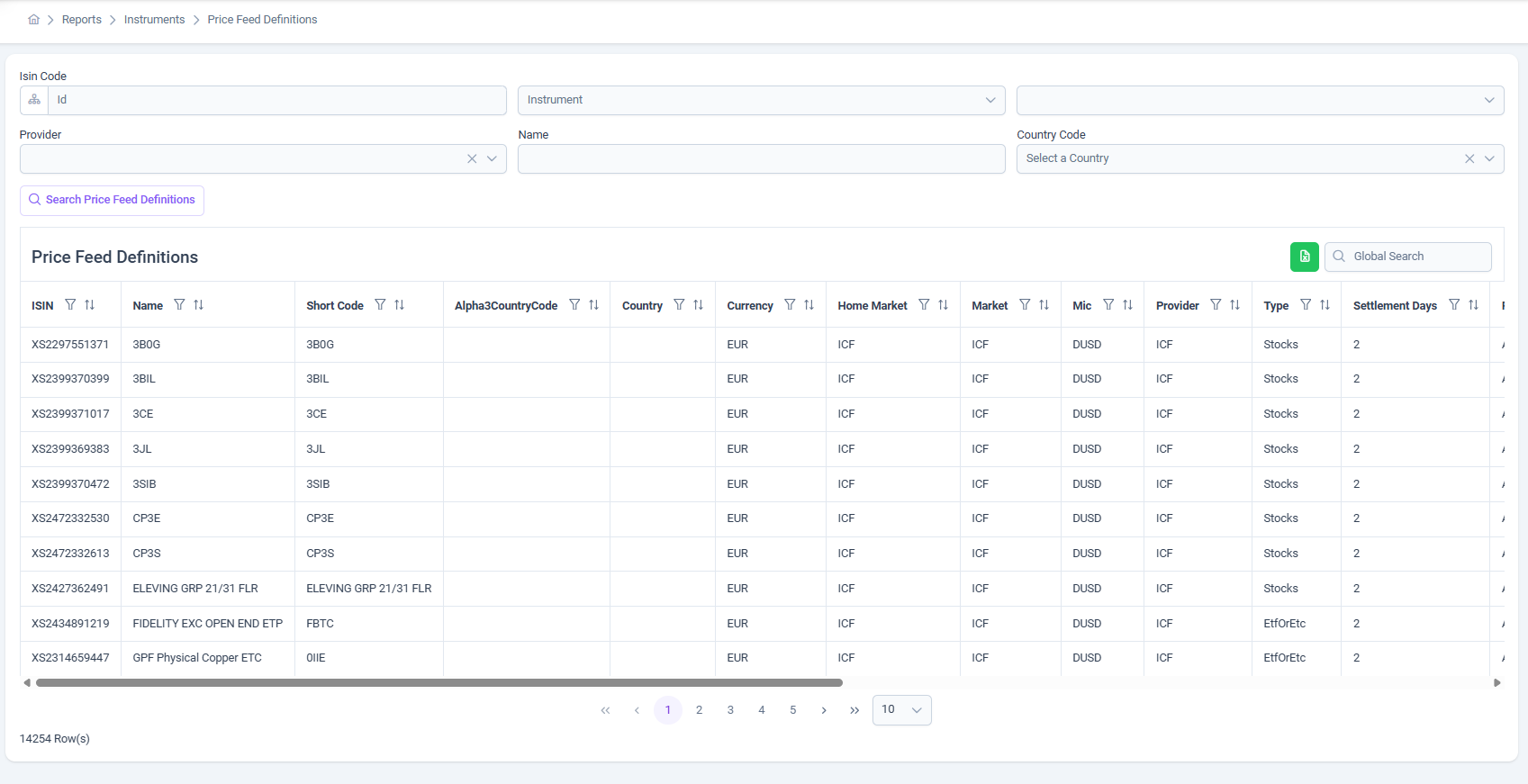
The Price Feed Definitions page provides a comprehensive tabular overview of all instruments and their market data configurations.
It enables administrators and operational users to monitor, audit, and validate how market data is sourced, maintained, and aligned with settlement rules.
🔍 Search & Filtering
At the top of the page, an advanced search panel is available to quickly narrow down instruments based on key attributes.
The following fields are supported as search parameters:
- ISIN
- Name
- Country
- Provider
These filters can be used individually or in combination to efficiently locate specific instruments within large datasets.
📝 Key Features of the Price Feed Definitions Page
-
Displays all defined instruments in a structured table with the following columns:
- ISIN
- Name
- Short Code
- Alpha3CountryCode
- Country
- Currency
- Home Market
- Market
- MIC
- Provider
- Type
- Settlement Days
- Settlement For
- Settlement Day Type
- Host Name
- Exist at WMData
- Created Date
- Updated Date
-
Supports global search to quickly locate instruments across all columns.
-
All columns are sortable and filterable, allowing detailed analysis and auditing.
-
Clearly indicates whether an instrument exists in the master data warehouse via the Exist at WMData flag.
-
Displays settlement-related attributes (Settlement Days, Settlement For, Settlement Day Type) to ensure accurate post-trade and clearing workflows.
-
Shows the Host Name and Provider, making data source traceability transparent.
-
Differentiates instrument categories such as Stocks, ETF, and ETC.
-
Provides full visibility into lifecycle metadata, including creation and last update timestamps.
This page plays a key role in ensuring that market data, settlement parameters, and instrument definitions remain consistent, reliable, and aligned across trading and reporting systems.
📈 Trading Venues
The Trading Venues section of the Instruments module is dedicated to managing and reviewing the marketplaces where instruments are listed and traded.
It defines the attributes of each venue and its relationship to the instruments and price feeds, ensuring that trading activity is properly mapped to the correct exchange or OTC market.
This section is critical for compliance, reporting, and accurate routing of orders to the appropriate venue.
📄 What is a Trading Venue?
A Trading Venue represents a regulated exchange, multilateral trading facility (MTF), organized trading facility (OTF), or over-the-counter (OTC) environment where financial instruments are bought and sold.
Each venue comes with its own unique rules, market microstructure, and identifiers.
Trading venues are essential for:
- Routing client orders to the correct market.
- Reporting executions to regulators with the proper MIC (Market Identifier Code).
- Understanding where instruments are actively traded.
🔍 Trading Venues Page Overview
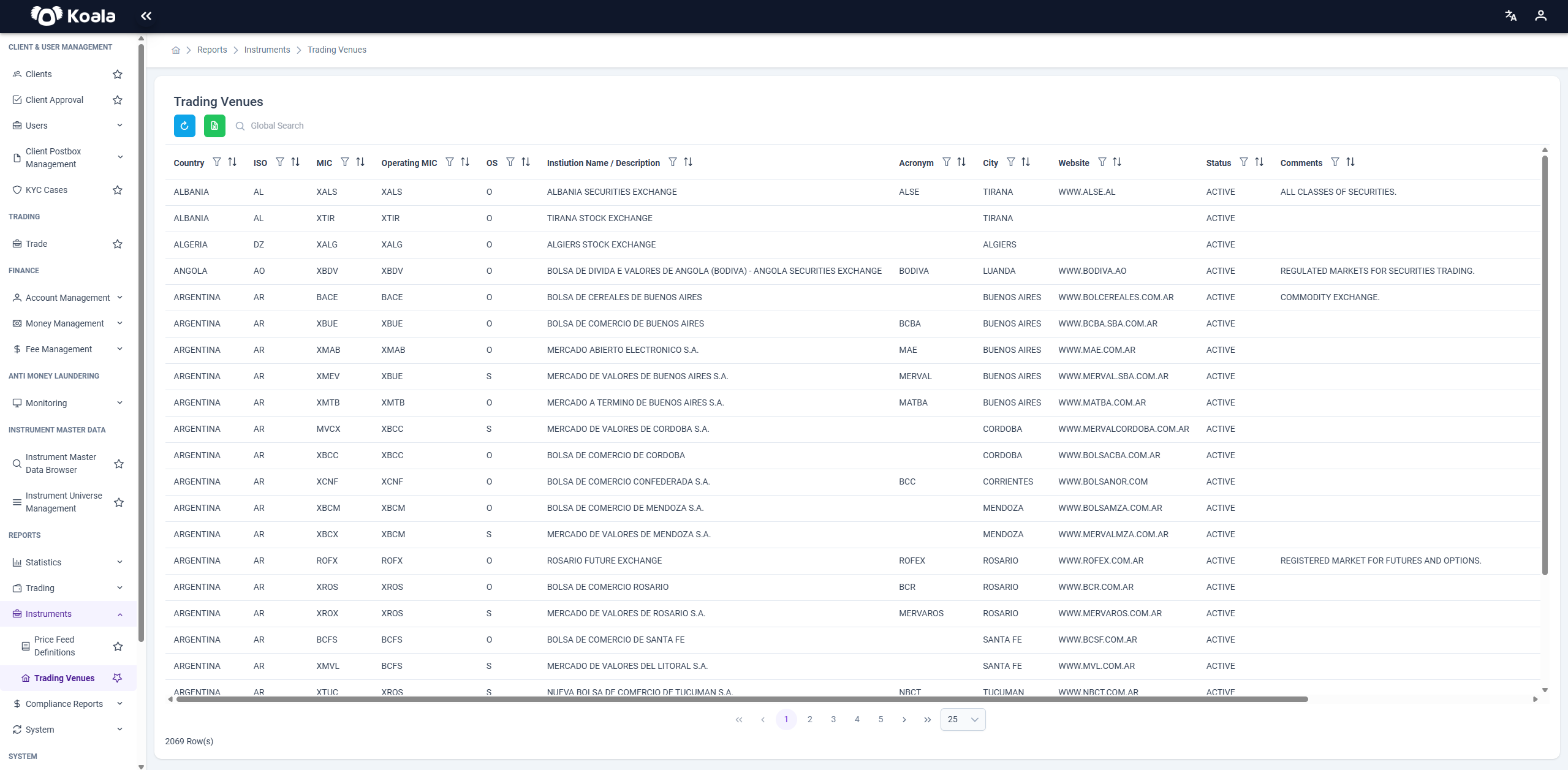
The Trading Venues page in the platform presents a detailed list of all configured venues and their associated metadata.
📝 Key Features of the Trading Venues Page
-
Displays all trading venues in a tabular format, including attributes such as:
- Venue Name
- MIC (Market Identifier Code)
- Country
- Currency
- Market Type (e.g., Exchange, OTC, MTF)
- Status (Active/Inactive)
- Provider
- Created Date
- Updated Date
-
Allows filtering and sorting on all columns to easily locate a specific venue.
-
Includes a global search bar for quick navigation.
-
Indicates the connection and configuration status of the venue in the system.
-
Helps to verify whether a venue is currently available and properly configured for routing orders.
📈 Importance of Trading Venues Management
Maintaining an up-to-date and accurate list of trading venues is crucial for:
- Ensuring compliance with regulatory requirements.
- Routing client orders to the correct marketplace.
- Aligning instruments with their trading venues for reporting and market data purposes.
- Supporting transparency and auditability of trading operations.
By managing the Trading Venues effectively, institutions ensure that all trading activities are properly aligned with the correct marketplace and meet all regulatory and operational standards.