Client Approval
- Used for approving newly created clients or approving updated sections of existing client records. This process ensures all client information changes undergo formal validation and authorization before becoming effective.
The Client Approval page in the Koala system is designed to manage and control updates made to existing clients. It provides an interface where users can review, compare, and approve or reject client-related changes.
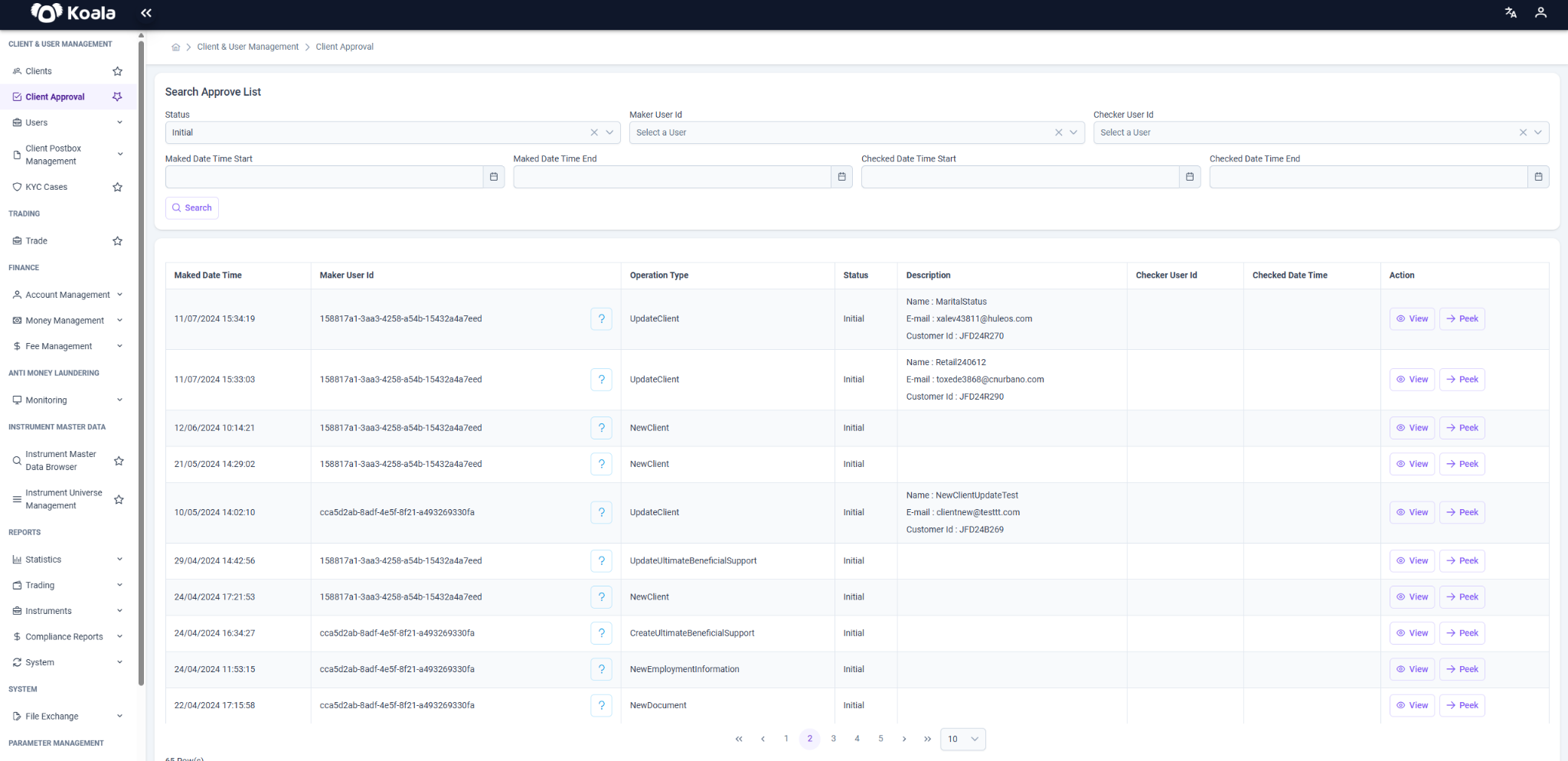
Search & Filter Options
At the top of the page, users can filter the approval list using several criteria:
- Status: Filter by request status (e.g., Initial)
- Maker User ID: Select the user who initiated the request
- Checker User ID: Select the user who reviewed/approved the request
- Date Ranges:
- Maked Date Time Start / End: Filter by creation date of the request
- Checked Date Time Start / End: Filter by review/approval date
After setting the desired parameters, click the Search button to filter the results accordingly.
Purpose
This page helps ensure that updates to client records are reviewed and verified before becoming effective. Users can view:
- New client registrations
- Updates made to existing clients (e.g., name, email, ID info, etc.)
- Who performed the operation and when
Button Functions
-
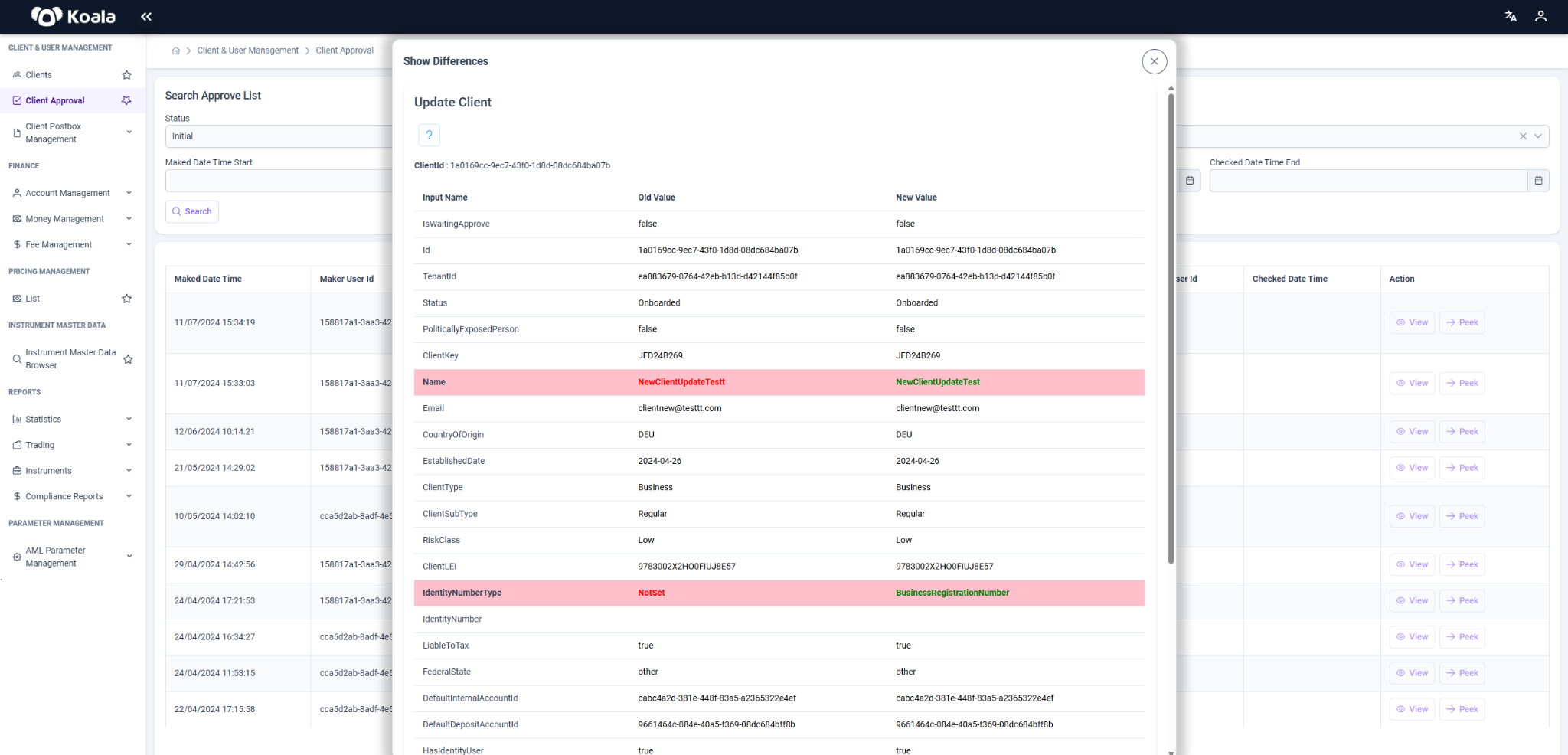
View: Displays the changes made to the selected client with a side-by-side comparison of old and new values.
Fields that have been modified are highlighted in red for visibility. -
Peek: Redirects to the current version of the client's record in the system.
Role-Based Access
Button visibility and available actions depend on the user’s role:
- Users with the
tenant_approvalrole will see an Action button instead of the View button. - These users can Approve or Deny the proposed client changes directly from the interface.
In Summary
The Client Approval page in the Koala system acts as a control layer for managing changes to client data. It ensures accuracy, accountability, and data integrity by requiring that all updates be explicitly reviewed and approved by authorized users.