📅 Market Sessions
The Market Sessions screen enables tenant administrators to configure and manage the trading hours and market holidays for specific trade providers (MICs). These settings define when orders can be submitted, evaluated, and routed based on the market availability.
This configuration ensures compliance with regional market calendars and prevents order processing outside valid windows.
🔀 Trade Provider Selection
At the top of the page, you must first select the Trade Provider (MIC) and the Market (e.g., XDUS). The system then loads the corresponding session settings.
📆 Tabs
The screen is organized into two tabs:
1. Market Working Days
This tab lists the standard trading sessions (working days and hours) for the selected market.
| Column | Description |
|---|---|
| MIC | Market Identifier Code (e.g., XDUS) |
| Day Of Week | Weekday when the market operates |
| Time Zone | The applicable time zone for session hours (UTC) |
| Start Time | Market open time (e.g., 05:00:00) |
| End Time | Market close time (e.g., 20:05:00) |
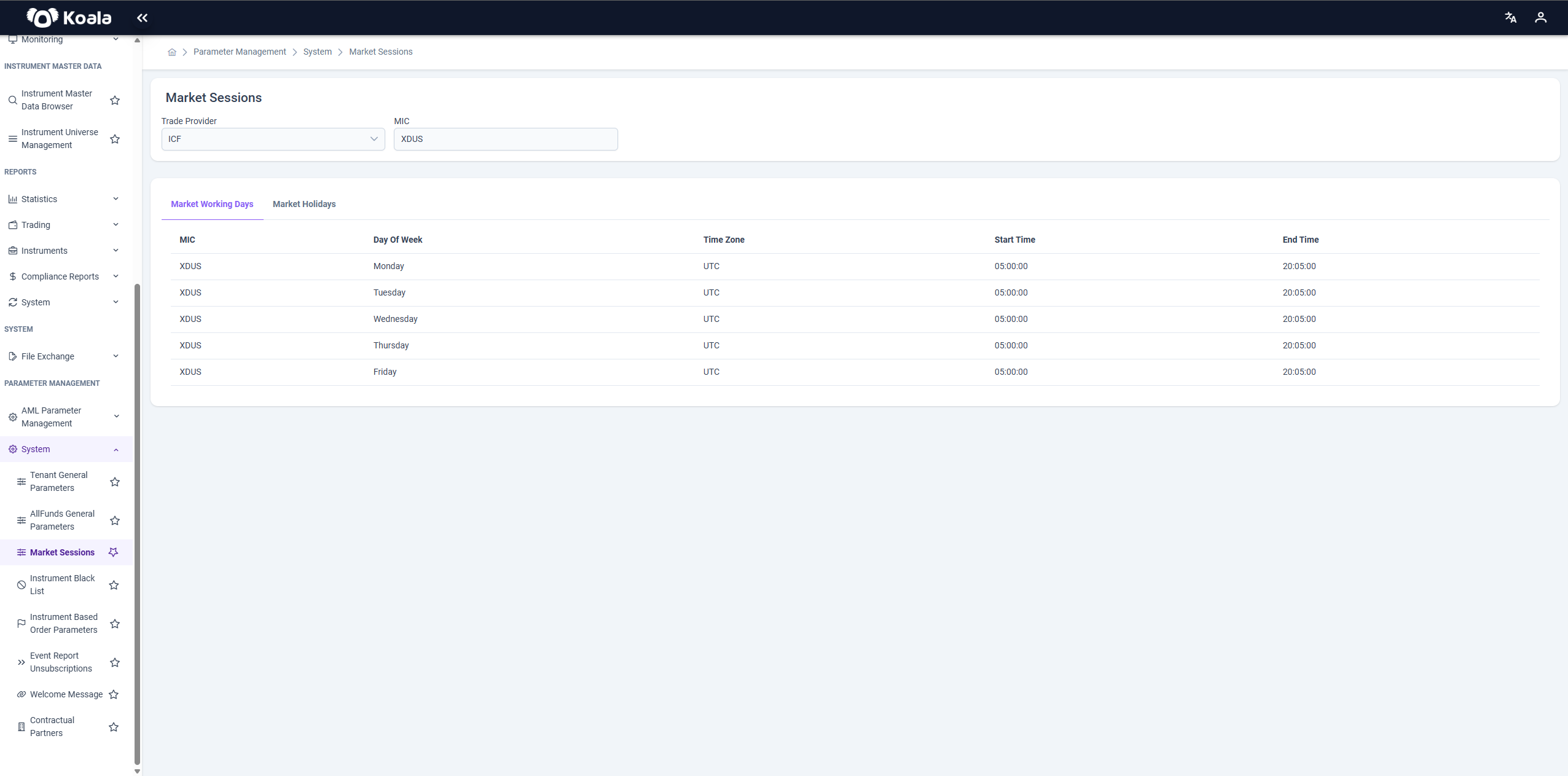
These entries define when orders are accepted for routing or queuing. Orders submitted outside these time windows may be rejected or deferred depending on other tenant settings.
2. Market Holidays
This tab is used to define non-working days (holidays) for each market (MIC). Orders cannot be submitted or executed on these dates, regardless of the working day configurations.
The table contains the following columns:
| Column | Description |
|---|---|
| MIC | Market Identifier Code the holiday applies to (e.g., XDUS) |
| Holiday Name | Descriptive name of the holiday (e.g., New Year's Day) |
| Time Zone | The time zone in which the holiday is observed (UTC) |
| Date | Calendar date of the holiday (e.g., 2025-01-01) |
| Start Time | Optional start time (defaults to beginning of day if omitted) |
| End Time | Optional end time (defaults to end of day if omitted) |
| Action | Allows editing or deleting the existing holiday definition |
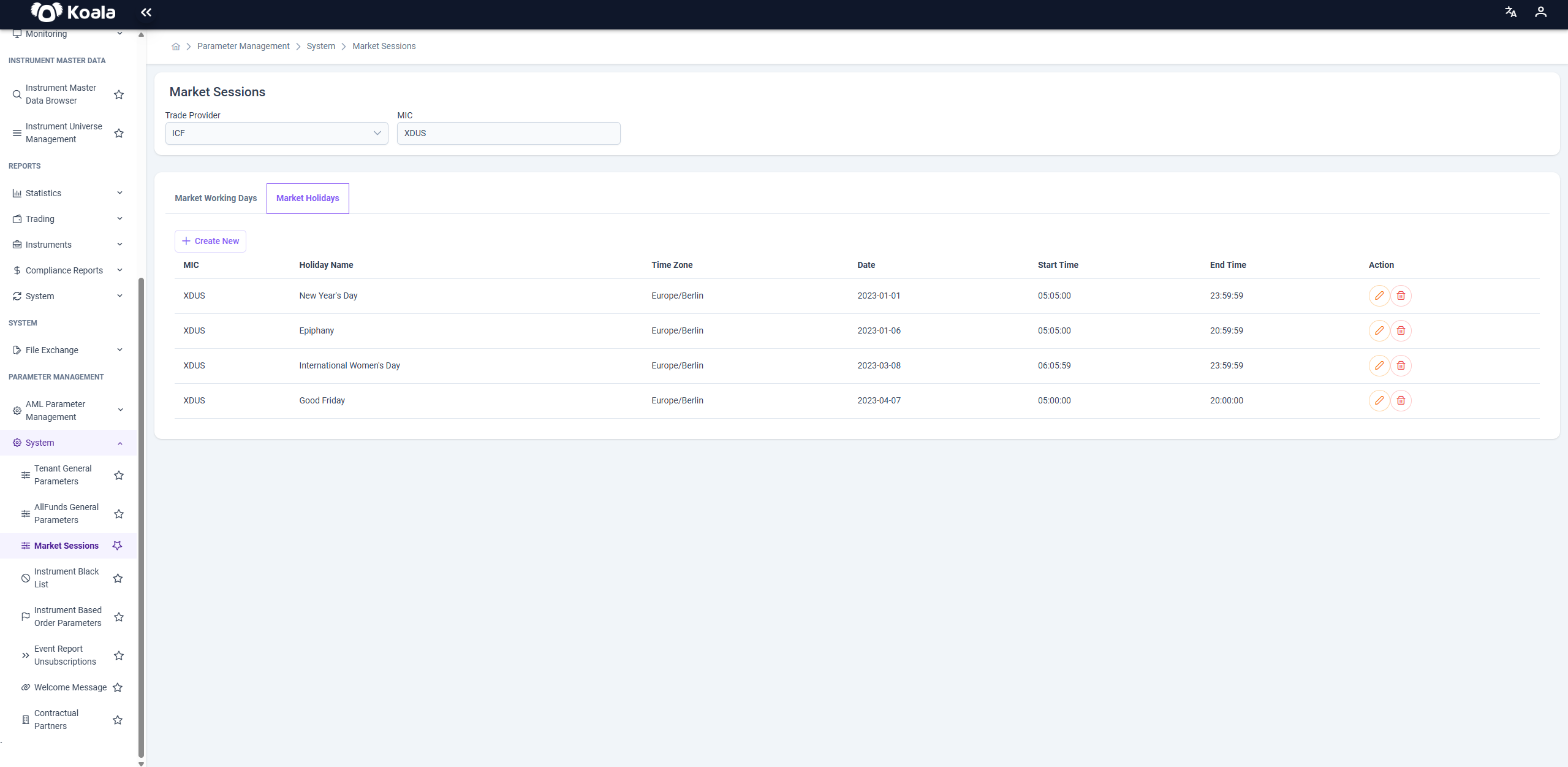
⚠️ Holidays override Market Working Days. If a date is both a working day and a listed holiday, the market will remain closed for that date.
Administrators can add, modify, or remove holiday definitions using the Action column.
⚙️ Purpose
Proper configuration of market sessions ensures:
- Orders are only accepted during valid market hours
- Alignment with official exchange calendars
- Reduced risk of order rejections or compliance violations
- Accurate cut-off times for order evaluation and settlement
💡 Note: Changes to market sessions apply globally for all orders routed to the selected MIC. Ensure your downstream systems (routing, order management, compliance) are aligned with these updates.